AI chatbots for ecommerce differ on five things that matter more than the demo: whether the bot answers from your own catalogue and policies, whether it can look up a live order, how many languages it handles without setup, how it hands a conversation to a person, and how the bill grows with volume. This comparison puts seven tools side by side on exactly those points, using their published prices as of September 2026.
How the seven were compared
Every tool below was assessed against the same questions a store owner asks in the first week. The answers come from each vendor's own pricing and documentation pages, not from a demo call, so where a capability could not be confirmed it is marked as such rather than assumed.
- Own-data answers. Does the AI read your product pages, shipping and returns policies and FAQs before it writes, so it says "I don't know" instead of inventing a delivery time? This is what a retrieval-based (RAG) chatbot does by design.
- Live order lookup. Can a shopper type an order number and email and get the real status back, without a person? See how order tracking in chat works.
- Languages. Automatic detection, or a language you configure per bot.
- Handover. What happens when the bot should stop: a named inbox, agent hours, a transcript that travels with the customer.
- Pricing basis. Per seat, per resolution, per conversation, or a flat monthly plan. The basis matters more than the sticker price once volume rises.
The seven at a glance
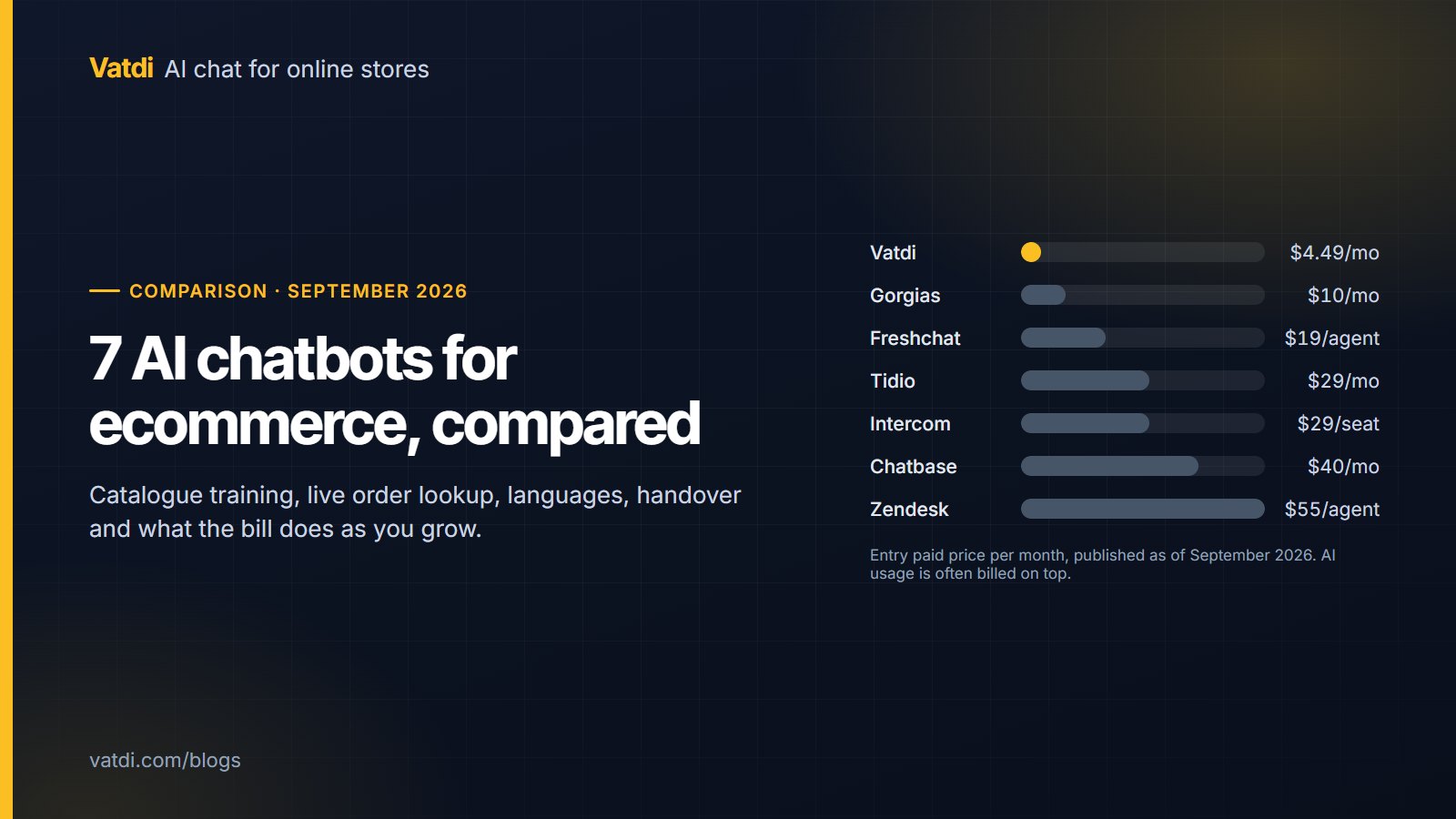
Prices are the published entry figures as of September 2026. Prices change; check the vendor's pricing page before deciding.
| Tool | Free plan | Entry paid price | AI billed as | Best for |
|---|---|---|---|---|
| Vatdi | Yes: 15 conversations a month, every feature | $4.49/mo (150 conversations), $7.49/mo unlimited | Included; the conversation cap is the only limit | Small and mid-sized stores on WooCommerce, OpenCart, PrestaShop, Magento and similar platforms |
| Tidio (Lyro) | Yes: 50 conversations a month, no AI answers | Starter $29/mo; Growth from $59/mo | Lyro AI agent is a separate metered add-on from about $39/mo | Teams that want one inbox for website, Messenger, Instagram, WhatsApp and email |
| Gorgias | No (trial only) | From $10/mo for 50 tickets; Basic $60/mo for 300 | AI Agent billed per automated resolution | Shopify brands that want a full helpdesk with the AI inside it |
| Intercom (Fin) | No (14-day trial) | Essential $29 per seat/mo | Fin $0.99 per resolution on top of seats | Support teams that need help centre, product tours and campaigns in one platform |
| Zendesk | No (14-day trial) | Suite Team from $55 per agent/mo (annual) | AI agents are add-ons | Larger operations already standardised on Zendesk ticketing |
| Freshchat | Yes: up to 10 agents | Growth $19 per agent/mo (annual) | Freddy AI add-on | Teams that want a generous free live-chat tier and grow into AI later |
| Chatbase | Yes | Hobby $40/mo; Standard $150/mo | Included in plan tiers | Content-heavy sites that want an AI trained on uploaded documents, not necessarily a shop |
1. Vatdi
Vatdi is an AI chat widget built for online stores. It syncs the catalogue through native plugins for WooCommerce, OpenCart 3 and 4, PrestaShop 8 and 9, Magento 2, Shopware 6, Joomla and Drupal Commerce, crawls the site's pages, and accepts PDF, DOC, CSV and text uploads. Answers are retrieval-based: the bot finds the matching products and policy snippets first, then writes from them, showing product cards with image, price and link.
Order lookup: yes, through the plugins listed above. The shopper gives the order number plus the email or phone on the order and the bot answers from the store. It is not available on Shopify, where the app trains on pages, collections and policies only.
Languages and handover: 95+ languages with automatic detection; human handover to a team inbox with agent hours, email and browser alerts, and the agent replying inside the same widget.
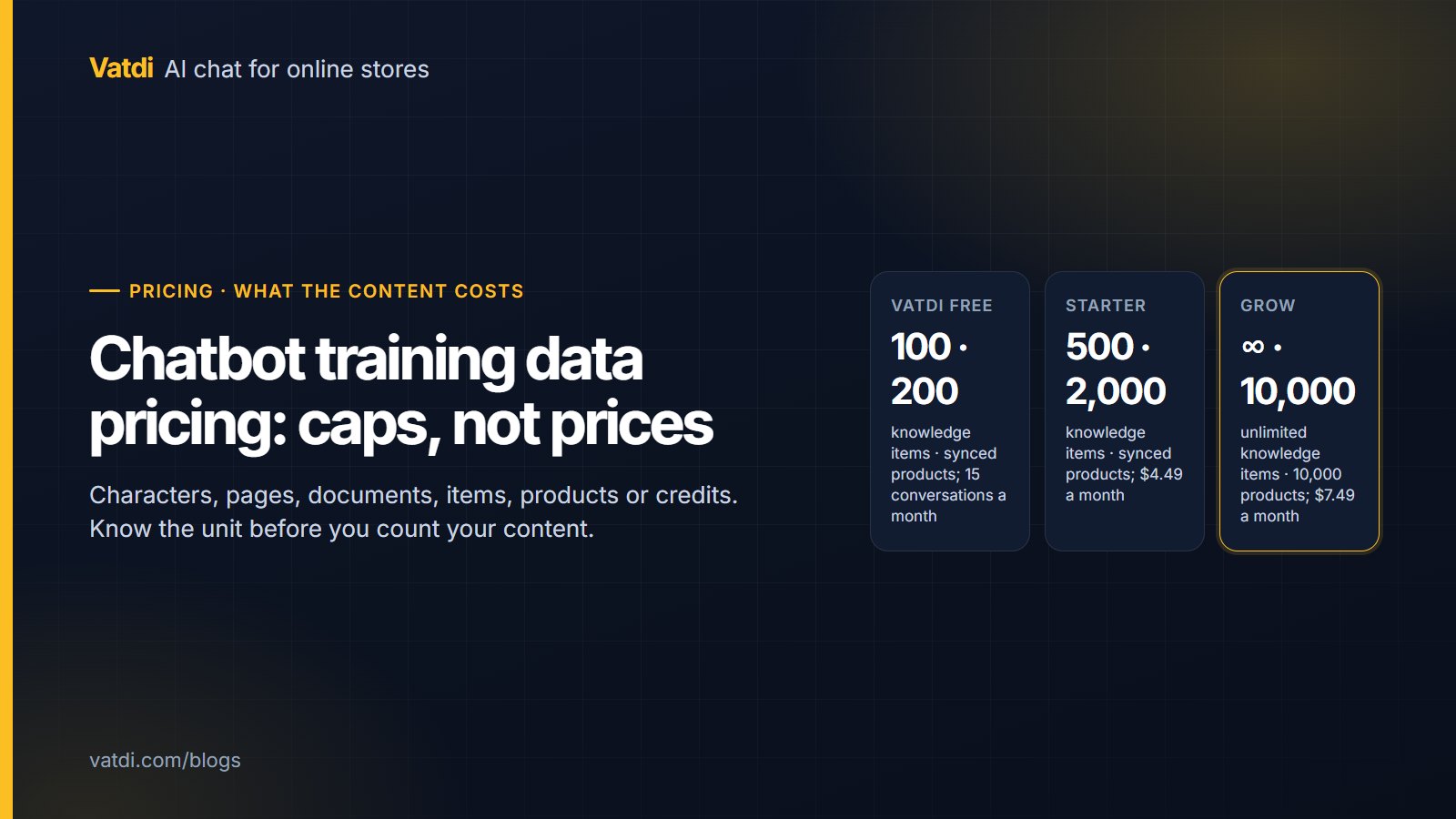
Pricing: Free plan with 15 conversations a month and every feature; Starter $4.49/mo for 150 conversations; Grow $7.49/mo for unlimited conversations. Unlimited teammates on every plan. The only paid-only capability is removing the "Powered by Vatdi" badge. Details on the pricing page.
Limitation: website widget only. WhatsApp works through your own WhatsApp Business number; there is no Messenger or email channel, no ticketing system and no order lookup on Shopify. Stores that need an omnichannel inbox should look at Tidio or Gorgias.
2. Tidio with Lyro
Tidio is a live chat and helpdesk product with an AI agent, Lyro, sold as a separate metered add-on. Its strength is breadth: one inbox for the website widget, Messenger, Instagram, WhatsApp and email, plus Shopify and WooCommerce apps.
Pricing: the free plan allows 50 conversations a month and does not include AI answers. Starter is $29/mo and Growth from $59/mo; Lyro starts at about $39/mo and is metered by conversation. Higher tiers add per-seat charges. Source: Tidio pricing, as of September 2026.
Best for: a store whose customers arrive through social channels as much as through the site, and a team that wants one inbox for all of them.
Limitation: a small store pays for two things, the plan and the AI add-on, before the first AI answer. A month with a few hundred AI conversations lands well above a flat-priced tool.
3. Gorgias
Gorgias is a helpdesk built for Shopify brands, with an AI Agent that works inside its ticketing. Because it is a helpdesk first, order data, macros and returns workflows sit next to the chat rather than bolted on.
Pricing: ticket-based tiers from $10/mo for 50 tickets and Basic $60/mo for 300 tickets; the AI Agent is billed per automated resolution; there is no free plan, only a trial. Source: Gorgias pricing, as of September 2026.
Best for: Shopify stores with enough ticket volume to justify a helpdesk, and a team that wants returns and order changes handled in the same place as chat.
Limitation: the ticket cap makes it expensive for a store with many short pre-sales questions, since each counts. Stores off Shopify get less from it.
4. Intercom with Fin
Intercom is a full customer-communication platform: inbox, help centre, product tours and email campaigns. Fin is its AI agent, priced per resolution on top of the seat price.
Pricing: Essential $29 per seat/mo, Advanced $85, Expert $132; Fin adds $0.99 per resolution; 14-day trial, no free plan. Source: Intercom pricing, as of September 2026. As arithmetic only: one seat on Essential plus 300 Fin resolutions in a month is $29 + $297 = $326.
Best for: support teams that already need the rest of the platform, and companies that value a resolution-based price because it aligns the bill with outcomes.
Limitation: for a small store the per-resolution model turns every answered question into a cost line, and the platform is far more than a shop needs.
5. Zendesk
Zendesk is the ticketing standard in larger support organisations. Its AI agents are add-ons to the Suite plans and inherit Zendesk's routing, SLAs and reporting.
Pricing: Suite Team from $55 per agent/mo on annual billing; AI agents are add-ons; 14-day trial. Source: Zendesk pricing, as of September 2026.
Best for: a company that already runs Zendesk and wants AI deflection inside the same system rather than a separate widget.
Limitation: per-agent pricing plus add-ons is the most expensive path on this list for a small team, and setup is a project rather than an afternoon.
6. Freshchat
Freshchat, from Freshworks, is a messaging product with a generous free tier and an AI layer called Freddy sold as an add-on.
Pricing: free plan for up to 10 agents; Growth $19 per agent/mo, Pro $49, Enterprise $79 on annual billing; Freddy AI is an add-on. Source: Freshchat pricing, as of September 2026.
Best for: a team that wants free live chat now and a clear upgrade path to AI without changing tools.
Limitation: the free tier is live chat, not AI answers, and the per-agent model penalises stores that want several teammates watching the inbox.
7. Chatbase
Chatbase trains an AI assistant on uploaded content and website pages and embeds it as a widget. It is a strong fit for documentation-heavy sites; it is not built around a shop's catalogue or orders.
Pricing: free plan; Hobby $40/mo, Standard $150/mo, Pro $500/mo. Source: Chatbase pricing, as of September 2026.
Best for: a brand site, SaaS or service business whose questions are answered by documents rather than by product data.
Limitation: no native ecommerce plugin sync or order lookup on the pricing page as of September 2026, so product cards and "where is my order" answers are not part of the package.
What "trained on your own data" should mean for a store
Every vendor above says its AI learns from your content. The useful question is what content and how often. A store's answers live in three places: the catalogue (prices, variants, stock), the policy pages (shipping, returns, payment) and the order system. A tool that only crawls pages will know your returns window but not that the blue medium is out of stock; a tool with catalogue sync knows both; only a tool with order lookup can answer the single most common question a store receives. Our guide to training a chatbot on your own data walks through which sources to connect first.
Which questions need order data
Ask your support inbox, not a vendor. In most stores the same handful of questions dominate: where is my order, how long is shipping, can I return this, is it in stock, do you ship to my country. The first one cannot be answered from any page; it needs the order record. If your platform is WooCommerce, OpenCart, PrestaShop, Magento, Shopware, Joomla or Drupal, pick a tool whose plugin does the lookup. On Shopify, expect the AI to explain the tracking process and hand the specific order to a person, unless the vendor confirms live lookup in writing.
Pricing models compared: what makes the bill grow
The entry price tells you little. What matters is the unit the vendor counts, because that is what climbs during a sale week.
| Pricing basis | Used by | What makes the bill grow | Good fit |
|---|---|---|---|
| Flat plan with a conversation cap | Vatdi (cap only on Free and Starter) | Crossing the monthly conversation cap | Small stores with seasonal peaks who want a predictable bill |
| Per seat | Intercom, Zendesk, Freshchat, Tidio on higher tiers | Adding teammates who watch the inbox | Teams where a few agents handle everything |
| Per resolution | Intercom Fin, Gorgias AI Agent | Every question the AI answers on its own | Teams that want cost tied to outcomes and can forecast volume |
| Per ticket | Gorgias plans | Every ticket, including short pre-sales chats | Stores whose contacts are mostly real support cases |
| Metered AI add-on | Tidio Lyro | AI conversations above the add-on allowance | Teams already on the platform who want AI on some conversations |
A worked way to compare: take last month's chat and email volume, decide what share the AI could reasonably take, and price that number on each basis. Our chatbot cost guide has the arithmetic for three store sizes.
How to choose by store size
- Under about 150 conversations a month, one or two people answering. Choose a flat plan that includes the AI. Paying per seat or per resolution at this size buys nothing you will use. Vatdi's Free or Starter plan, or Freshchat's free live chat if you do not need AI yet.
- A few hundred conversations a month, a small team. Decide whether you need an omnichannel inbox. If yes, Tidio; if the site widget is enough and order lookup matters, a flat unlimited plan such as Vatdi Grow at $7.49/mo keeps the bill predictable.
- Shopify brand with real ticket volume. Gorgias, because returns, order edits and chat belong in the same helpdesk there.
- Existing Zendesk or Intercom customer. Add their AI rather than introducing a second tool; the integration cost of a separate widget outweighs the licence saving.
- Documentation-heavy brand site, few orders. Chatbase or a similar document-trained assistant is a reasonable fit; catalogue features would go unused.
When Vatdi is not the right choice
Being specific about limits is more useful than a feature list. Look elsewhere if you need any of these:
- Conversations on WhatsApp, Messenger, Instagram, SMS or email. Vatdi is the website widget only; Tidio and Gorgias cover those channels.
- Live order lookup on Shopify. The Shopify app trains on pages, collections and policies; order status stays with your team.
- A ticketing system with SLAs, macros and multi-brand routing. Zendesk, Gorgias or Intercom are helpdesks; Vatdi is a chat assistant with a team inbox.
- Formal compliance certifications for procurement. Vatdi publishes its security practices and subprocessors on its trust page but does not hold SOC 2 or ISO 27001 certification.
For a small or mid-sized store on one of the supported platforms, the combination of catalogue sync, order lookup, 95+ languages and a flat price is hard to match. You can compare specific pairs in more depth: Vatdi vs Tidio, Vatdi vs Gorgias and Vatdi vs Intercom.
Frequently asked questions
Which AI chatbot is best for a small ecommerce store?
For a store with a small team and a few hundred conversations a month, a flat-priced tool that includes the AI and syncs the catalogue usually beats per-seat or per-resolution products. Vatdi fits that profile on WooCommerce, OpenCart, PrestaShop, Magento and similar platforms. If most customers message you on WhatsApp or Instagram, Tidio's omnichannel inbox is the better starting point despite the higher price.
Do AI chatbots for ecommerce work with WooCommerce and Shopify?
Most of the seven offer a WooCommerce or Shopify app, but what the app does varies. Some only place the widget; others sync products so the bot can show prices and stock; a few also read orders. Check the app listing for "order status" or "order lookup" specifically. Vatdi's WooCommerce plugin syncs the catalogue and looks up orders; its Shopify app trains on pages and policies without order lookup.
Can an ecommerce chatbot check order status?
Yes, when the tool has a connection to your order system. The shopper gives an order number and the email or phone used at checkout, the bot verifies the pair and returns the live status. Without that connection the bot can only explain how tracking works and pass the order to a person. On Shopify, confirm live lookup with the vendor in writing before relying on it.
How much does an AI chatbot for ecommerce cost?
As of September 2026 the published entry prices range from $4.49 a month for Vatdi's Starter plan to $55 per agent a month for Zendesk Suite Team, with AI usage often billed on top: Intercom's Fin is $0.99 per resolution and Tidio's Lyro starts at about $39 a month. Free plans exist at Vatdi, Tidio, Freshchat and Chatbase, with different limits on conversations and AI answers.
Do these chatbots support multiple languages?
All seven answer in more than one language, but the setup differs. Some detect the visitor's language automatically and reply in it; others need a language configured per bot or per flow. Vatdi detects the language automatically across 95+ languages and lets you set a fallback. If you sell into several countries, test the bot with real questions in each language before launch rather than trusting the feature list.
What is the difference between an AI chatbot and a live chat tool?
A live chat tool routes messages to a person; an AI chatbot answers on its own from your content and hands over when it should. Several products on this list started as live chat and added AI as a paid add-on, which is why their free tiers exclude AI answers. Our comparison of chatbot vs live chat covers when a store needs one, the other or both.