An AI chatbot for SaaS websites earns its place by answering the evaluation questions visitors ask before they sign up: which plan includes a feature, how an integration works, what the docs say about a setup step, and what the security page promises. It should hand billing disputes, enterprise quotes, security questionnaires and account-specific problems to a person. This guide draws that line, lists the content to feed the bot, and covers lead capture and placement.
How a SaaS site differs from a store
Most chatbot advice is written for stores: catalogue sync, order lookup, shipping zones. A software company's site has none of those. What it has is a pricing page with plan matrices, documentation that answers "how do I", an integrations list, a changelog, a security or trust page, and a trial or demo path. The visitors differ too: they are comparing, not buying, and the valuable outcome is often a qualified conversation rather than a transaction. That changes what the bot should read, what it should say, and what it should never attempt. Vatdi's page on AI chat for SaaS covers the product side; this guide is about the operating decisions.
What to automate
These questions have a correct answer in content you already publish, which is exactly what a retrieval-based bot is good at: it finds the passage, then writes from it (the approach is described in Lewis et al., 2020).
| Question type | Example | Source to feed the bot | Automate? |
|---|---|---|---|
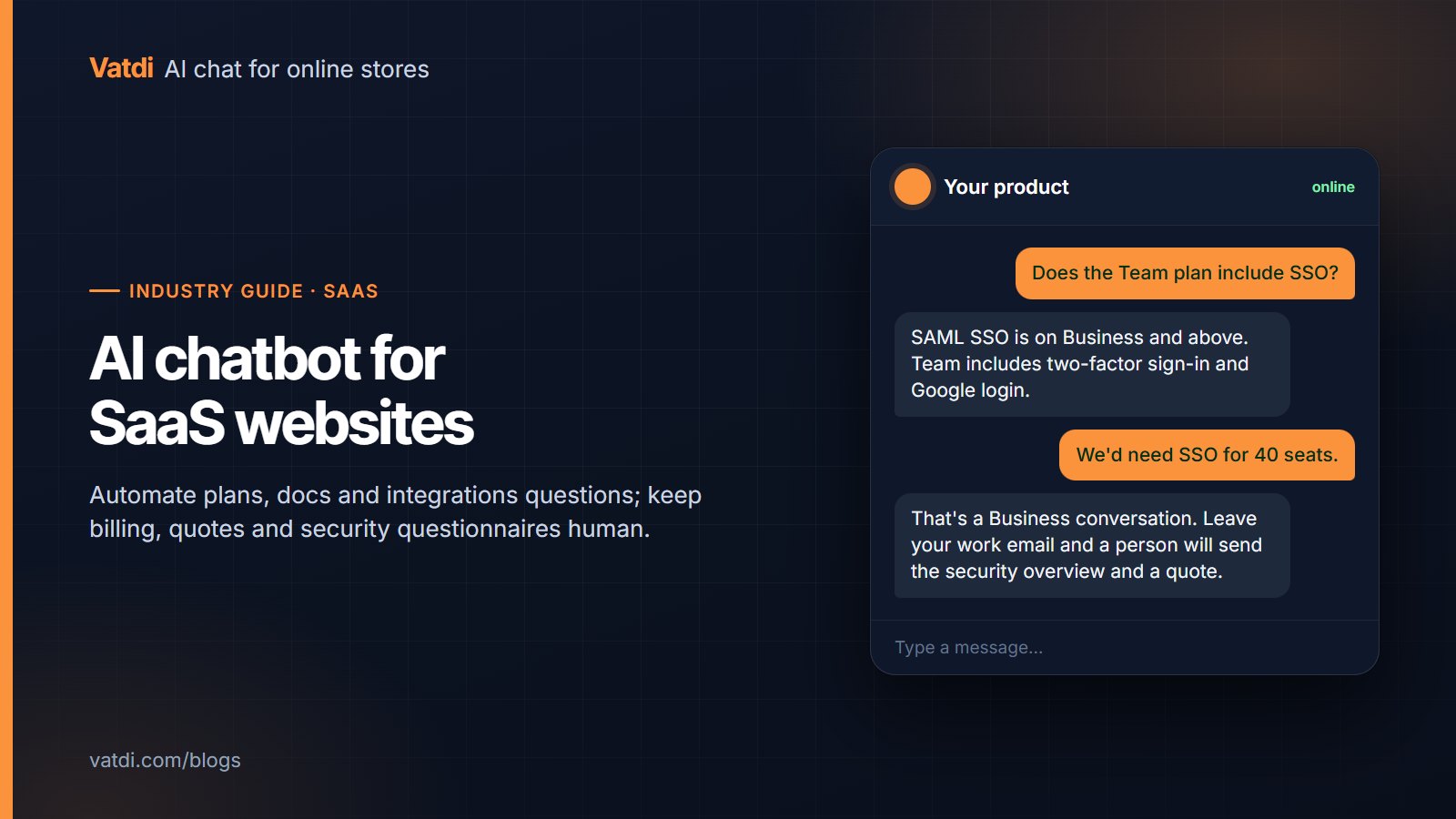
| Plan and feature availability | "Does the Team plan include SSO?" | Pricing page and plan matrix | Yes |
| Docs how-to | "How do I rotate an API key?" | Documentation pages, crawled | Yes, with a link to the exact page |
| Integration availability | "Do you connect to HubSpot?" | Integrations list | Yes; say what the integration does, not just that it exists |
| Security basics | "Where is data hosted? Is it encrypted?" | Trust or security page | Yes, quoting the page; nothing beyond it |
| Trial and onboarding steps | "How long is the trial? What happens after?" | Pricing FAQ, onboarding guide | Yes |
| Limits and quotas | "How many seats on Starter?" | Pricing page | Yes |
| Changelog | "Did you ship dark mode?" | Changelog or release notes | Yes, if the changelog is crawled and current |
Two rules keep this honest. First, the bot answers only from those pages; a question the pages do not cover gets "I don't know, want me to ask the team?" rather than a plausible guess. Second, when a page changes, the answer changes on the next crawl, so keep the crawl schedule short for the pricing page and docs. Set-up details are in URL training and PDF training for anything that exists only as a document.
What to keep human
- Billing disputes and refunds. The bot cannot see the customer's account and should not pretend to. It collects the account email and the issue, then hands over.
- Enterprise quotes. Anything with "40 seats", "procurement" or "annual contract" in it is a sales conversation. Capture the work email and route it.
- Security questionnaires. The bot can quote the trust page; it must not improvise answers to a 200-line vendor questionnaire. Offer the documents and a contact.
- Account-specific troubleshooting. "Why is my export failing?" needs logs the bot does not have. Docs first, then a person.
- Incidents and status. If your product is down, the bot must not say otherwise. Vatdi has no live status monitoring; point to your status page and let the offline notice be honest.
Write these as explicit handover rules before launch. Vatdi's handover gives you agent hours, email and browser alerts, and a team inbox with states; the mechanics are in what chatbot human handover is. Outside agent hours the widget should say when someone will reply and collect the contact, not promise an immediate answer.
Lead capture and qualification without a CRM connector
On a SaaS site, a good conversation often ends in a lead rather than a sale. Vatdi captures leads in chat or through a pre-chat or contact form, rates each 1–5 for trust automatically (editable), emails you immediately and exports to CSV. There are no CRM, Zapier or webhook connectors, so the hand-off to your sales tool is a CSV import or a person; for a small team that is workable, for a sales org with routing rules it is not, and a tool with native CRM sync is the better fit. Two practical settings: ask for the work email only after the bot has answered something useful, and treat the trust rating as triage rather than truth. More in how to capture leads with a chatbot and AI chatbot for lead generation.
Where the widget earns its place
Placement is per page: Vatdi lets you hide the widget on chosen pages separately for desktop and mobile, so it can be present on pricing and docs and absent on billing screens. Quick replies should differ by area too; "Compare plans" on pricing, "Search the docs" on documentation. Installation is a one-line script for any site, including React and Next.js apps (install on any website).
Content to feed it, in order
- Pricing page and plan matrix. Make sure every plan limit is written as text, not only in a graphic.
- Documentation. Crawl it fully; keep headings question-shaped where you can ("How do I…"). Our knowledge base guide shows the format.
- Integrations list, with one sentence per integration on what it actually does.
- Trust or security page, kept factual; the bot will quote it verbatim in spirit.
- Onboarding guide and trial FAQ.
- Changelog, if it is maintained; a stale one produces confident wrong answers about features.
Do not upload customer lists, internal runbooks or anything with credentials. The bot reads what you give it, and a document meant for staff will surface in a public answer.
A two-week test plan
- Days 1–2: crawl pricing, docs, integrations and trust pages. Set the welcome message and quick replies per area.
- Day 3: ask the twenty questions your support inbox and sales calls hear most. Record correct, partly correct, wrong, and whether the bot declined when it should.
- Day 4: write the handover rules for billing, enterprise, security questionnaires and account issues; set agent hours.
- Days 5–14: run live. Review low-graded conversations twice a week (Vatdi grades each 0–10 with advice), fix the page behind each wrong answer, and re-ask the question the same day.
At the end, three numbers tell you whether it worked: docs questions answered without a person, leads captured with a trust rating of 3 or higher, and support tickets on plan and integration questions. The pricing is the same on every Vatdi plan for all of this; the plans differ only in monthly conversations (pricing). The model behind the answers is OpenAI's GPT-4o mini (model documentation); as with a store, the content and the rules decide the result more than the model.
Frequently asked questions
Can the chatbot answer questions about a customer's own account?
No. A website chatbot trained on your public and uploaded content cannot see billing status, usage or logs for a specific account, and it should say so rather than guess. The right pattern is to collect the account email and the issue, point to the relevant doc if one exists, and hand over to a person with the transcript. Vatdi has no account or CRM lookups for SaaS products.
How should it handle security questionnaires?
By quoting what your trust or security page already says and stopping there. Encryption, hosting region, retention and sub-processors can be answered from that page; a full vendor questionnaire cannot, and improvised answers create liability. Configure the bot to offer the security documents and a named contact for anything beyond the page. Vatdi's own approach is on its trust page.
Does it push leads into HubSpot or Salesforce?
Not automatically. Vatdi captures leads with a 1–5 trust rating, emails you instantly and exports to CSV; there are no CRM, Zapier or webhook connectors. For a small team the CSV import or a manual entry is fine. If your sales process depends on automatic routing and enrichment, choose a tool with native CRM sync; that is a genuine reason to look elsewhere.
Where on a SaaS site should the widget appear?
On the pricing page and in the documentation first; those are where evaluation questions and how-to questions live. Keep it off billing and checkout screens. Use different quick replies per area: plan comparison and trial details on pricing, doc search on documentation. Vatdi can hide the widget on chosen pages separately for desktop and mobile, so the placement is a setting rather than code.
How do we stop it from claiming features we do not have?
Feed it only current pages and keep the changelog and pricing page accurate; a retrieval-based bot answers from what it reads, so stale content produces confident wrong answers. Test the negative cases: ask for an integration you do not offer and a feature that is on the roadmap. The correct answers are a clear no and "not currently available", not a maybe.
Is a chatbot worth it for an early-stage SaaS with little traffic?
If the docs and pricing page are the main support load, yes, and the cost is small: Vatdi's Free plan covers 15 conversations a month with every feature and Starter is $4.49 a month for 150, as of September 2026. The bigger benefit early on is the conversation log itself, which shows exactly which questions your pages fail to answer and which plan limits confuse visitors.