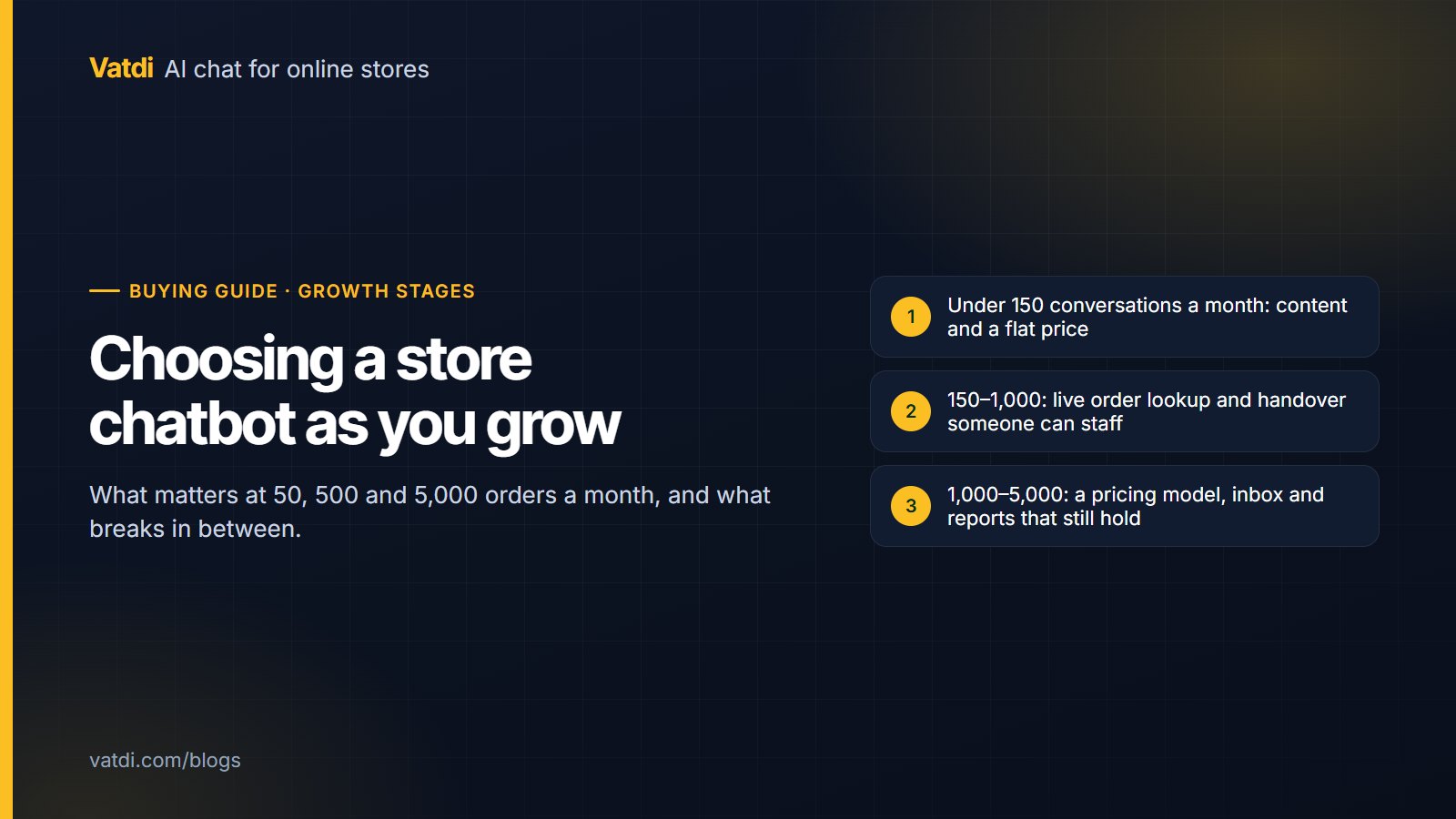
The right AI chatbot for ecommerce depends on how many conversations your store handles and who answers them. At 50 orders a month the deciding factors are content and price; at 500 they are live order lookup and handover a small team can staff; at 5,000 they are whether the pricing model, the team inbox and the reporting still hold. This guide maps the three stages, what breaks between them, and when to switch tools rather than plans.
Three stages, three different problems
Order volume is a rough proxy; conversations are what the chatbot actually handles. Most stores see somewhere between one chat per five orders and one per two, depending on how clear the shipping and returns pages are. The stages below use conversations a month, with the order volume that usually produces them.
| Stage | Typical volume | Who answers | What decides the choice | What to ignore |
|---|---|---|---|---|
| 1. Starting out | Under 150 conversations (about 50–300 orders) | The owner, between other jobs | Answers from your own content; a flat price; setup in an afternoon | Seats, integrations, reporting depth |
| 2. Growing | 150–1,000 conversations (about 300–2,000 orders) | One to three people, part time | Live order lookup; agent hours and alerts; per-language testing; lead capture | Enterprise compliance packs, custom SLAs |
| 3. Scaling | 1,000–5,000 conversations (about 2,000–5,000+ orders) | A small team, sometimes a helpdesk | A pricing model that does not punish volume; team inbox states; missed-handover tracking; usage forecasting | Anything sold per seat unless the team is small |
Stage 1: starting out
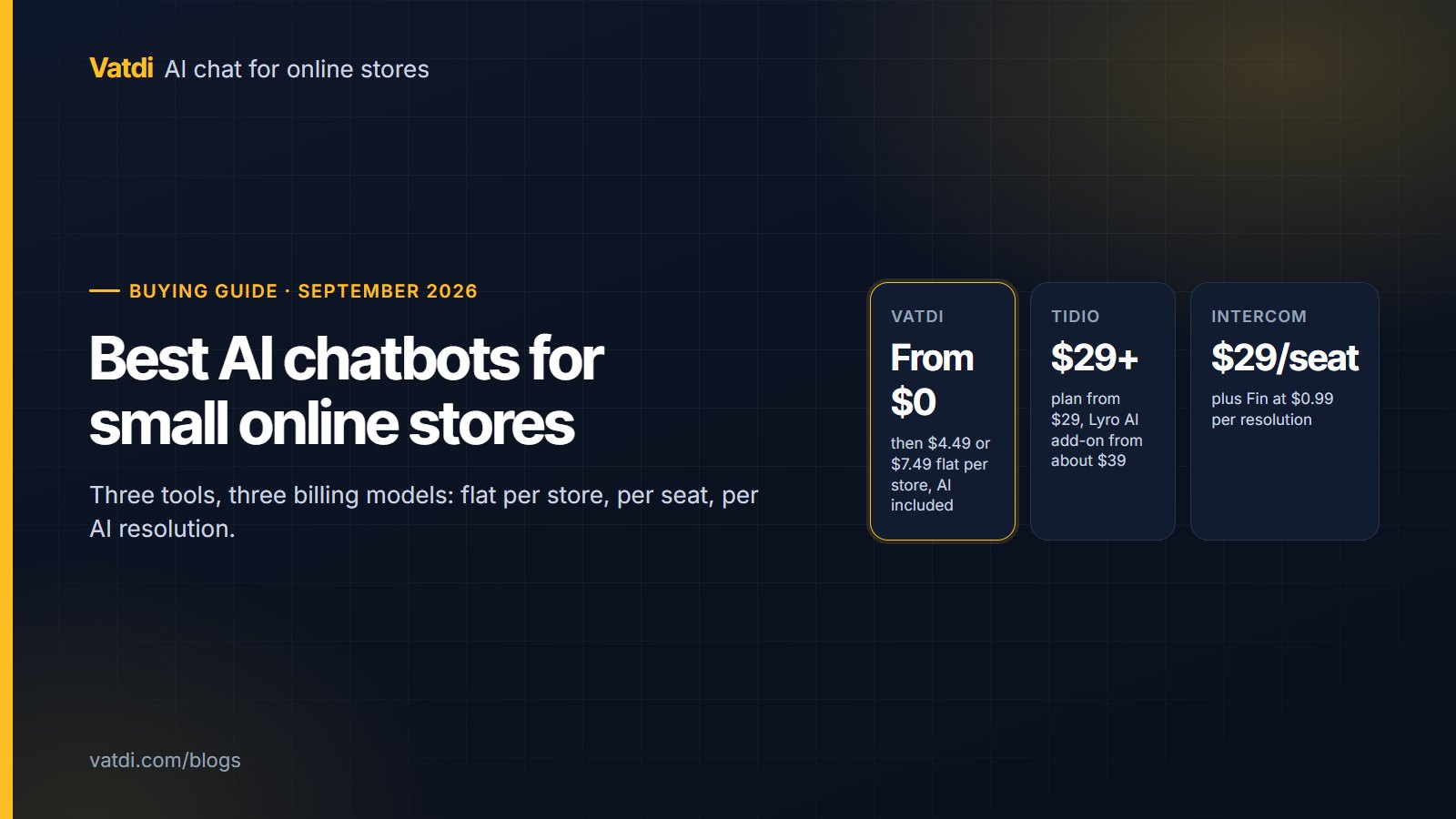
Two things matter and nothing else does. First, the bot must answer from your catalogue and policy pages rather than from a script or from general training; otherwise you will spend evenings building flows or correcting invented delivery times. Second, the price must be flat, because at this volume any per-seat or per-resolution bill is money for capacity you will not use. A free plan with real features is the right starting point: Vatdi's Free plan includes 15 conversations a month with every feature (catalogue sync, handover, languages, lead capture, analytics) and shows a "Powered by Vatdi" badge; Starter at $4.49 a month lifts that to 150 conversations, as of September 2026 (pricing). Spend the time you save on content: the catalogue attributes and a returns page written one question per heading, as described in how to train a chatbot on your data.
What breaks on the way out of this stage is usually the "where is my order" question. At 50 orders you can answer it by hand; at 300 it is a daily chore, and a bot that cannot look it up is only half a bot.
Stage 2: growing
Now the bot needs a connection to the store, and the humans behind it need a schedule. Four capabilities decide the choice here:
- Live order lookup. The shopper gives an order number plus the email or phone on the order; the bot verifies the pair and answers from the store. Through its plugins Vatdi does this on WooCommerce, OpenCart, PrestaShop, Magento, Shopware, Joomla and Drupal Commerce, and not on Shopify. Whatever tool you pick, test the path with a real order before launch; see how to track orders with a chatbot.
- Handover someone can actually staff. Agent hours so the widget is honest when nobody is there, email and browser alerts, replying from the same thread the customer sees, and a count of missed handovers to review each week. Details in what chatbot human handover is.
- Languages, tested per market. If you now ship abroad, ten test questions per language before launch, and widget labels that switch with the answer. Our guide to a multilingual ecommerce chatbot has the test matrix.
- Lead capture without a CRM. Capture in chat or a short form, an instant email, a CSV export. Most stores at this stage do not run a CRM and should not buy a chatbot for its CRM connectors.
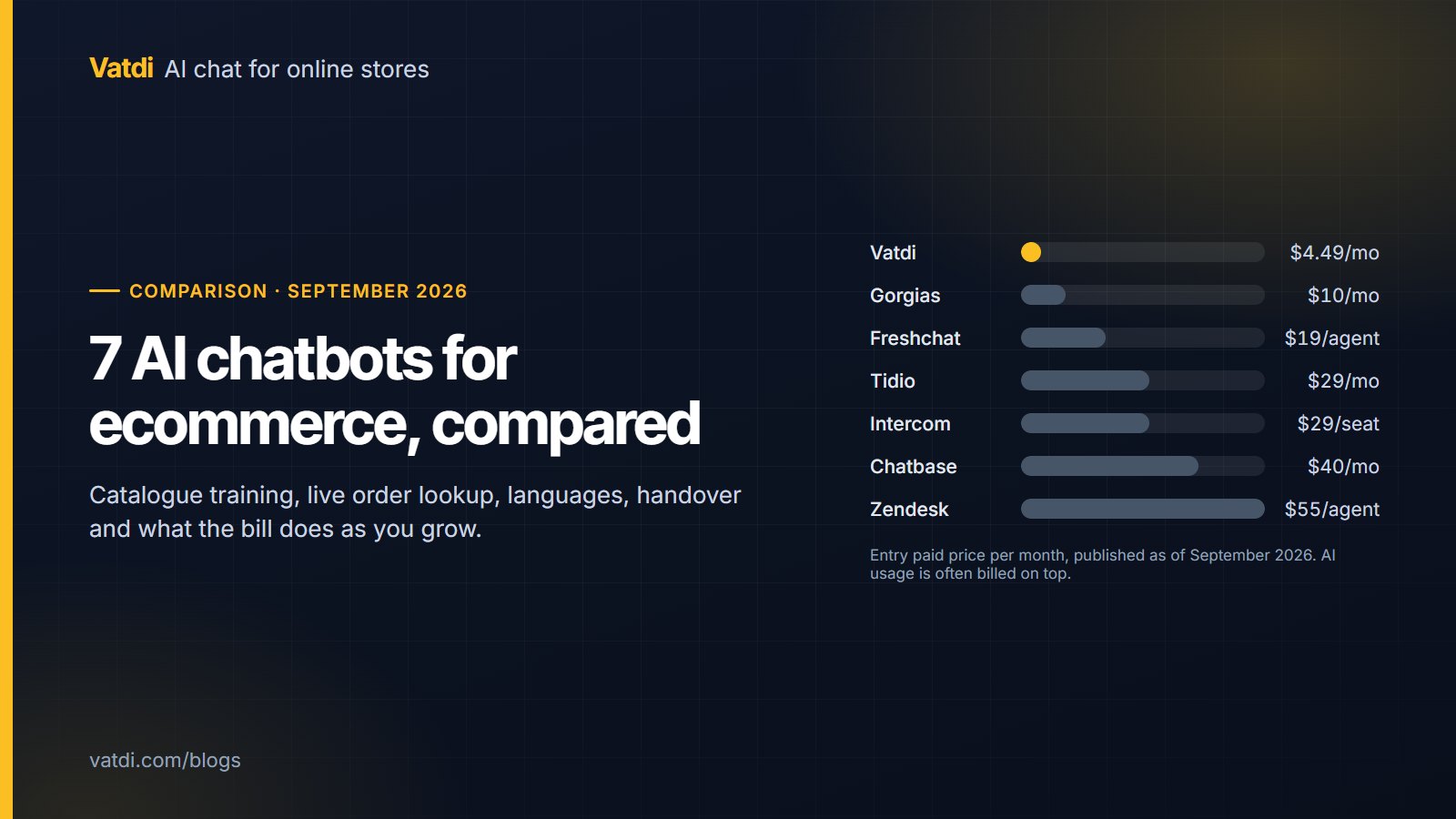
Pricing starts to matter in a new way. Per-resolution tools charge for every conversation the AI finishes on its own, which is exactly what you want more of; the better the bot, the higher the bill. A flat unlimited plan (Vatdi Grow is $7.49 a month for unlimited conversations, as of September 2026) removes that tension. The seven-tool comparison lays out which vendors bill on which basis.
Stage 3: scaling
At a few thousand conversations a month, the questions change from "can it answer" to "can the team run it". Look for team inbox states that show who is handling what (Vatdi uses Needs you / Handling / Team handling / Missed / Resolved), per-page roles for teammates, a quality grade on every conversation so the backlog of content fixes is visible, and a usage forecast so a sale week does not surprise you. Reporting should answer three questions without a spreadsheet: what share of conversations ended without a person, how many handovers were missed, and which topics generate the low-rated answers. The metrics are listed in AI chatbot KPIs to track.
This is also the stage where some stores genuinely need a helpdesk rather than a chat assistant: ticket queues, SLAs, multi-brand routing, returns workflows inside the same tool. If that describes you, Gorgias (Shopify-first, from $10 a month for 50 tickets, AI billed per resolution) or Intercom ($29 per seat a month plus Fin at $0.99 per resolution; see Intercom pricing) are built for it, as of September 2026; Vatdi is a chat assistant with a team inbox, not a ticketing system. The honest way to decide is to count: if most contacts are lookups and policy questions, a chat assistant with a good inbox is enough; if most are cases that live for days, buy the helpdesk.
What breaks between stages
- Stage 1 to 2: order status answered by hand, and a Free plan cap reached mid-month. Fix: connect the store, move to a plan with room.
- Stage 2 to 3: a per-resolution or per-seat bill that grows with success, and handovers nobody owns. Fix: a flat or predictable plan, inbox states and a weekly missed-handover review.
- Any stage: content that drifts. The catalogue syncs itself; policy pages and uploaded documents do not. Put a quarterly review in the calendar.
Switching plans versus switching tools
Switch plans when the only problem is a cap or a badge. Switch tools when the problem is structural: no order lookup on your platform, a pricing basis that penalises volume, no way to see who is handling a conversation, or channels you have genuinely started to need (WhatsApp, Messenger, email), which Vatdi does not offer. When you do switch, the checklist is short: export your leads to CSV, save the FAQ list you built, note which policy pages were crawled, and put the new widget on a staging page first so the ten-question test runs before customers see it.
One structural point worth knowing early: Vatdi is one store per plan. A brand that runs three storefronts on separate domains needs three plans, which at $7.49 a month each is still less than one seat on most per-seat tools, but it is a different shape from a single multi-brand helpdesk.
A worked example at each stage
A store selling outdoor gear illustrates the path. At 40 orders a month the owner installs the WooCommerce plugin, crawls the shipping and returns pages, and the bot handles sizing and delivery questions on the Free plan; the owner upgrades to Starter when the 15-conversation cap is hit in the second week of a sale. At 400 orders a month, order lookup is connected, agent hours are set to 9–18 on weekdays, and the widget collects contact details overnight; the missed-handover count drops once the offline message stops promising an immediate reply. At 3,000 orders a month, two part-time agents work from the team inbox, the weekly review of low-graded conversations feeds new FAQ entries, and the usage forecast shows a Black Friday week coming; the flat Grow plan means the forecast affects staffing, not the bill. The seasonal side of this is covered in the Black Friday chatbot strategy.
A number worth keeping in view throughout: the Baymard Institute's running average puts cart abandonment at about 70% (Baymard), and shipping cost and delivery uncertainty are among the reasons shoppers cite. The questions a store chatbot answers well at every stage are precisely those; that is the case for getting it right early rather than at scale.
Frequently asked questions
How quickly can an AI chatbot be deployed on my ecommerce site?
The install is minutes: a plugin on WooCommerce, OpenCart, PrestaShop, Magento, Shopware, Joomla or Drupal, an app on Shopify, or a one-line script anywhere else. The useful work is the content: connect the catalogue, crawl the shipping and returns pages, import FAQs, then run your ten most common questions and fix what fails. Most small stores finish that in an afternoon and refine over two weeks.
Is it safe to let a chatbot handle customer data and order details?
Order lookup should require two facts the shopper knows, the order number plus the email or phone on the order, so an order number alone reveals nothing. Beyond that, check the vendor's data handling: encryption at rest, per-store isolation, how long conversation logs are kept, and whether prompts are used to train models. Vatdi documents these on its trust page and does not claim certifications it does not hold.
What is the biggest limitation of budget AI chatbots?
Usually one of three: no connection to your catalogue, so prices and stock are guessed or missing; no live order lookup; or a free tier that excludes AI answers entirely and only routes chats to a person. Price itself is rarely the limitation. A flat $4.49 plan with catalogue sync and order lookup does more for a store than a $29 plan whose AI is a metered add-on.
When should a growing store move from a chat assistant to a helpdesk?
When most contacts are cases rather than lookups: returns that take days, disputes, multi-message investigations, several brands routed to different teams. If your inbox is mostly "where is my order", "do you ship to", "can I return", a chat assistant with a team inbox and missed-handover tracking is enough and far cheaper. Count a week of contacts before deciding; the split is usually obvious.
How does multilingual support work as we expand to new countries?
A retrieval-based bot detects the shopper's language per message and answers from your content in that language, so you do not translate the catalogue. What you should do per new market is a ten-question test in that language, a check that widget labels switch too, and a shipping-zones table that states delivery time, cost and duties for the destination. Vatdi detects 95+ languages and includes them on every plan.
Does the conversation cap count AI replies or whole chats?
On Vatdi it counts conversations, not messages: one shopper session is one conversation however many questions they ask, and AI replies inside it are never capped. Free allows 15 a month, Starter 150, Grow unlimited, as of September 2026. Other vendors count differently, some per AI resolution and some per seat, so compare the unit before comparing the price.