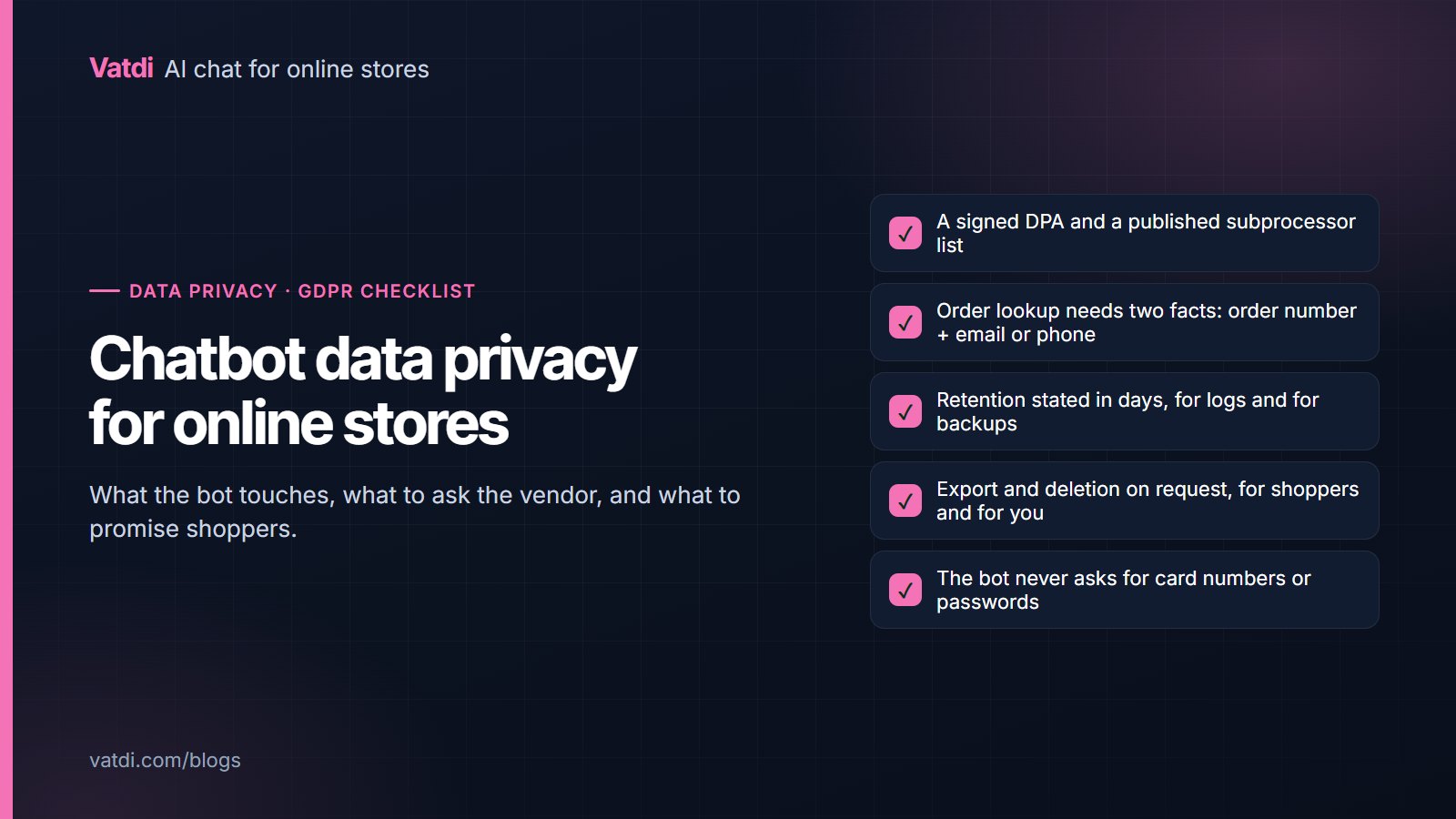
Chatbot data privacy on an online store comes down to five questions: what data the bot touches, who processes it and under what agreement, how little it can collect and still be useful, how long it is kept and how it is deleted, and what shoppers are told. This checklist answers each for an AI chat widget under GDPR, with the points to verify with any vendor before launch. It is practical guidance, not legal advice.
What data a store chatbot actually touches
Before any policy, map the flows. A retrieval-based chat widget on a store typically handles six kinds of data, and each has a different purpose and lifetime.
| Data | Why the bot has it | Personal data? | What to check |
|---|---|---|---|
| Message text | To answer; sent to the AI model provider to generate the reply | Often (names, addresses, order details typed by the shopper) | Provider terms: retention, training use, region |
| Order lookups | To answer "where is my order" | Yes (order number, email or phone, status) | Verification requires two facts; nothing shown without a match |
| Leads and forms | Follow-up by your team | Yes (name, email, phone) | Lawful basis, retention, export and deletion |
| Handover transcripts | So an agent sees the conversation | Yes | Who on your team can read them (roles) |
| Your uploads and pages | Training content (policies, FAQs, catalogue) | Usually not; check documents for staff or customer data | Do not upload customer lists or order exports |
| Technical data | Page URL, language, session for the widget to work | Can be (IP address) | Cookie and consent position for the widget |
Under GDPR you are the controller for all of this and the chat vendor is your processor; the model provider behind the vendor is a sub-processor. The obligations attached to those roles are set out in the regulation itself (Regulation (EU) 2016/679, Article 28), and the UK regulator's guidance covers the same ground in plainer language (ICO UK GDPR guidance).
Checklist 1: vendor due diligence
Ask these before signing up, and expect written answers. For Vatdi, they are documented on the trust page and security page; the answers below are Vatdi's as of September 2026.
- Is a data processing agreement available? Vatdi: yes, a DPA on request.
- Are sub-processors listed publicly, and is there a way to learn about changes? Vatdi: listed on the trust page. If your adviser wants change notifications, ask for them explicitly.
- Which AI provider receives message text, and on what terms? Vatdi sends requests to OpenAI through its API (GPT-4o mini), using zero-retention API mode where it is enabled; the data is not used to train models.
- Is data encrypted in transit and at rest? Vatdi: HTTPS everywhere; store credentials encrypted at rest; per-store data isolation.
- What are the retention periods? Vatdi: LLM call logs are kept 90 days; encrypted backups use a 10-day rolling retention.
- How are export and deletion handled? Vatdi: JSON data export, plus account and data deletion.
- Which certifications does the vendor hold? Vatdi publishes its practices and does not hold SOC 2 or ISO 27001 certification. A vendor that claims a certificate should be able to show it.
Checklist 2: minimise what the bot collects
The least risky data is the data you never collect. Three design decisions do most of the work:
- Order lookup requires two facts the shopper already knows. The order number plus the email or phone used at checkout, verified together, so an order number alone reveals nothing. This is how Vatdi's plugin lookup works on WooCommerce, OpenCart, PrestaShop, Magento, Shopware, Joomla and Drupal Commerce.
- The bot never asks for payment details, passwords or identity documents. Say so in its instructions and in the welcome message. Anything that needs those goes to a person on a secure channel.
- Keep the pre-chat form off unless there is a reason. A form collects personal data before there is a purpose; capture a lead when the shopper wants a follow-up, not as a toll.
Also audit your own uploads. Training content should be policies, FAQs and product information. A customer list or an order export pasted "for context" is personal data you have just copied into a new system.
Checklist 3: retention, deletion and rights requests
Write down, for each data type in the table above, how long it lives and how it is removed. Then test the two requests shoppers actually make:
- "Send me everything you hold about me." Know where chat transcripts and leads live and how to export them. Vatdi provides a JSON export; leads also export to CSV.
- "Delete my data." Know how to delete a shopper's conversations and lead record, and confirm the vendor's backup retention so you can state when the copy is gone (for Vatdi, backups roll off after 10 days).
Set a calendar reminder to re-check these paths every quarter and after any vendor change. The GDPR-compliant AI chatbot page lists the controls in one place.
Checklist 4: what to tell shoppers
Transparency is mostly two sentences in the right places. In your privacy notice: that the site uses an AI chat assistant, who the processor is, what data it handles and for how long, and that conversations may be reviewed by your team. In the widget: a short line that the assistant is automated and that a person is available (with the hours). If the widget sets cookies or reads identifiers beyond what it needs to function, that belongs in your consent mechanism; ask the vendor exactly what the script stores in the browser and put the answer in the notice.
Checklist 5: access, handover and incidents
- Roles. Give teammates access to the inbox and reports they need and nothing more. Vatdi supports unlimited teammates with per-page roles on every plan.
- Handover. A transcript travelling to an agent is a disclosure inside your organisation; keep it inside the tool rather than forwarding by email. How the handover itself works is covered in what chatbot human handover is.
- Incidents. Know the vendor's contact for security matters and how you would be notified; note that GDPR's 72-hour breach notification clock runs on you as controller.
- Offboarding. If you leave a vendor, export what you need and request deletion; confirm the backup retention so you know when it is complete.
The checklist in one place
- Data flows mapped for the six data types.
- DPA signed; sub-processor list read; AI provider terms confirmed (no training use, stated retention).
- Encryption in transit and at rest confirmed; per-store isolation confirmed.
- Order lookup verified to require two facts; bot instructed never to request payment or identity data.
- Pre-chat form off unless purposeful; no customer data in uploads.
- Retention periods written down; export and deletion paths tested.
- Privacy notice and widget text updated; consent position for the script confirmed.
- Team roles set; incident contact known; quarterly re-check scheduled.
None of this requires a paid plan or an enterprise tier with Vatdi; the controls above are the same on the Free plan (pricing). What it requires is an hour of reading and two test requests, which is a small price for being able to answer a shopper's privacy question as confidently as the bot answers their shipping question.
Frequently asked questions
Is an AI chatbot GDPR compliant out of the box?
No tool is compliant by itself; compliance describes how you use it. A vendor can make it achievable by offering a DPA, listing sub-processors, encrypting data, stating retention, and supporting export and deletion. You still need to map your data flows, update your privacy notice, minimise what the bot collects and test rights requests. Treat "GDPR compliant" on a pricing page as the start of the conversation, not the end.
Does the chatbot send customer messages to OpenAI?
With Vatdi, yes: message text is sent to OpenAI through its API to generate the reply, using zero-retention API mode where enabled, and it is not used to train models. That makes OpenAI a sub-processor, which is why it appears on the trust page. If your adviser requires a specific data region or provider terms, ask the vendor for them in writing before launch rather than assuming.
Can the bot look up an order without exposing other customers' data?
It should require two facts that only the customer knows, the order number plus the email or phone used at checkout, and show nothing unless both match. Vatdi's plugin lookup works this way on WooCommerce, OpenCart, PrestaShop, Magento, Shopware, Joomla and Drupal Commerce. Test it yourself with a real order number and the wrong email; the correct response is a polite refusal.
How long are chat transcripts kept?
That depends on the vendor and on your own settings; write the number down. For Vatdi as of September 2026, LLM call logs are kept for 90 days and encrypted backups roll off after 10 days; conversation and lead data can be exported as JSON and deleted on request. Whatever tool you use, the retention period belongs in your privacy notice and in your answer to a deletion request.
Do I need a cookie banner for the chat widget?
It depends on what the script stores in the browser and why. A widget that only keeps what it needs to function is generally treated differently from one that tracks visitors across sites, but the rules vary by country and your consent tool's configuration matters. Ask the vendor exactly what the widget stores and for how long, then put that answer to your adviser and into the notice.
What should the privacy notice say about the chatbot?
Four things in plain language: that the site uses an automated AI chat assistant; who processes the conversations (the chat vendor and its AI provider); what data it handles, for what purpose and for how long; and how a shopper can request export or deletion. Add that conversations may be reviewed by your team for quality, and keep the widget's own text consistent with the notice.