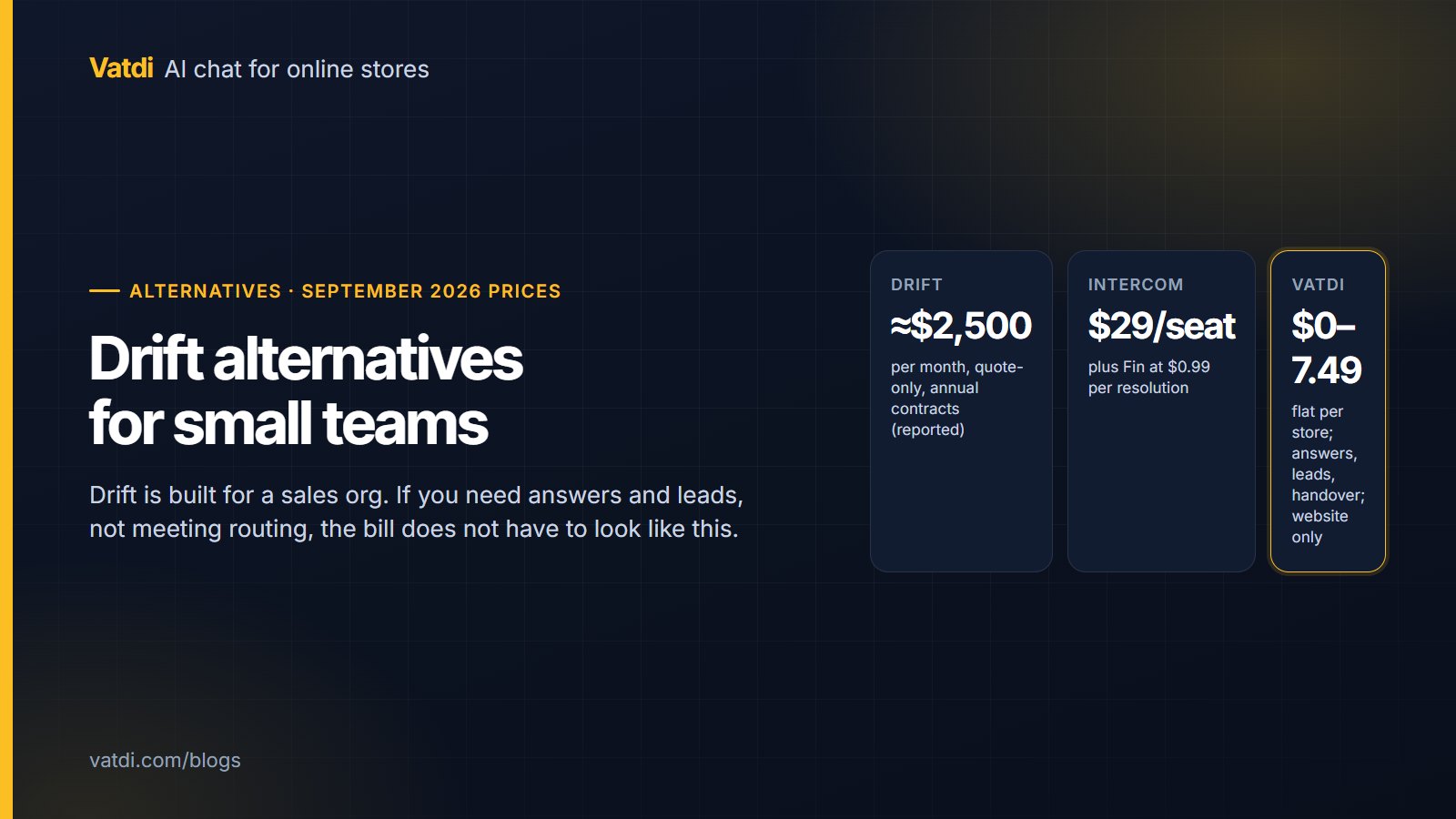
Drift alternatives make sense for a small team because Drift is built for a different one: B2B revenue teams that book meetings from chat, route accounts to reps and integrate with a sales CRM, at quote-only pricing reported around $2,500 a month on annual contracts as of September 2026. A team of one to five that needs answers and leads is paying for machinery it will not use. Below: what such a team needs, the alternatives with prices, how to switch.
What Drift is for, and what that costs
Drift, part of Salesloft since 2024, positions itself around conversational marketing for B2B: qualifying website visitors, booking meetings with the right rep, and routing by account. There is no free plan; entry pricing is quote-based and widely reported around $2,500 a month on annual contracts. For a company with a sales team and a CRM that machinery earns its keep. For a small business, an ecommerce store or a SaaS with two founders answering chat, three things are usually true: nobody books meetings from the widget, there is no rep to route to, and the questions arriving are about products, prices, shipping and how-to. Our comparison page covers the head-to-head (Vatdi vs Drift); the enterprise pairing is in Drift vs Intercom.
What a small team actually needs from chat
- Answers from your own content: pricing, products, policies, docs, hours, answered at any hour without a person.
- Lead capture at the moment of intent, with an instant email and a way to follow up by hand.
- Handover to a person with the transcript, and honesty about hours when nobody is there.
- A predictable bill that does not multiply by seats or by successful answers.
- Setup in an afternoon, not a procurement cycle.
Meeting booking, account routing and CRM sync are the things Drift does that most of the alternatives below do not, and that a small team should decide it does not need before switching. The honest version of lead generation for a small site is in AI for lead generation on a website.
The alternatives, with September 2026 prices
| Tool | Free plan | Entry price and unit | What you keep from Drift | What you give up |
|---|---|---|---|---|
| Vatdi | Yes: 15 conversations/mo, every feature | $4.49/mo (150); $7.49 unlimited; flat per store | Answers from your content, lead capture with a 1–5 rating, handover, languages | Meeting booking, CRM routing, any channel beyond the website widget |
| HubSpot | Yes: free chatbot builder in the free tools | Paid hubs from about $15–20 per seat/mo | A CRM the leads land in; rule-based flows | The builder is rule-based; AI terms to check; per-seat once paid |
| Intercom | No (14-day trial) | $29 per seat/mo + Fin $0.99 per resolution | Inbox, help centre, tours, AI agent | Per-seat plus per-resolution bill; more platform than a small team runs |
| Tidio | Yes: 50 conversations, no AI | Starter $29/mo; Lyro AI from about $39/mo | Multichannel inbox (Messenger, Instagram, WhatsApp, email) | AI is an add-on; two bills before the first AI answer |
| Crisp | Yes: Basic | Mini $45/mo per workspace | Shared inbox, multichannel | Check the AI terms on the plan |
| Freshchat | Yes: up to 10 agents | Growth $19 per agent/mo (annual) | Messaging inbox; Freddy AI add-on | Per-agent price; AI extra |
| Zoho SalesIQ | Yes | Basic $7 per operator/mo (annual) | Visitor tracking, live chat | Per-operator; AI terms to check |
| Chatbase | Yes | Hobby $40/mo | An AI trained on uploaded documents | No product sync or order lookup; lead flow is basic |
Sources: Intercom pricing, Tidio pricing and Vatdi's pricing page; prices change, check each vendor. The full list with all vendors is on Drift alternatives, and the HubSpot-specific comparison is on HubSpot chatbot alternatives.
What you keep and what you lose
Which alternative, by what you need
- A store or website that needs answers, leads and handover on a flat price: Vatdi. Website widget only, no CRM connectors; leads arrive by email and CSV. Right for teams that follow up by hand.
- You want leads to land in a CRM automatically: HubSpot, whose free tools include both the builder and the CRM; or Intercom if you also need a help centre.
- Customers message you on Messenger, Instagram or WhatsApp: Tidio or Crisp.
- A SaaS whose questions are docs and pricing: Vatdi or Chatbase; the SaaS-specific placement and rules are in AI chatbot for SaaS websites.
- You still book meetings from chat and route by account: you may be Drift's customer after all; compare with Intercom before deciding.
Two numbers to write down first
Before comparing tools, count last month's meetings booked from the chat widget and last month's conversations routed to a named rep. If both are near zero, you are paying for the two things that justify Drift's price and using neither, and any of the alternatives above will do the rest for a fraction. If either number is meaningful, price Intercom against Drift rather than a small-team tool, because that is the tier you are actually in.
The switch, in one afternoon
- Export what you own: contacts and conversation history from Drift, and the list of qualifying questions your playbooks asked.
- Recreate the questions that mattered as a short pre-chat form or as the assistant's lead-capture prompts; drop the ones nobody used. See how to capture leads with a chatbot.
- Connect the content the new assistant will answer from: pricing page, docs, policies, catalogue on a store.
- Set agent hours and handover rules, so the offline notice is honest from day one.
- Swap the widget script on a staging page first, run your ten most common questions and one impossible one, then go live.
- Keep the old account read-only for a month while you confirm nothing depended on it.
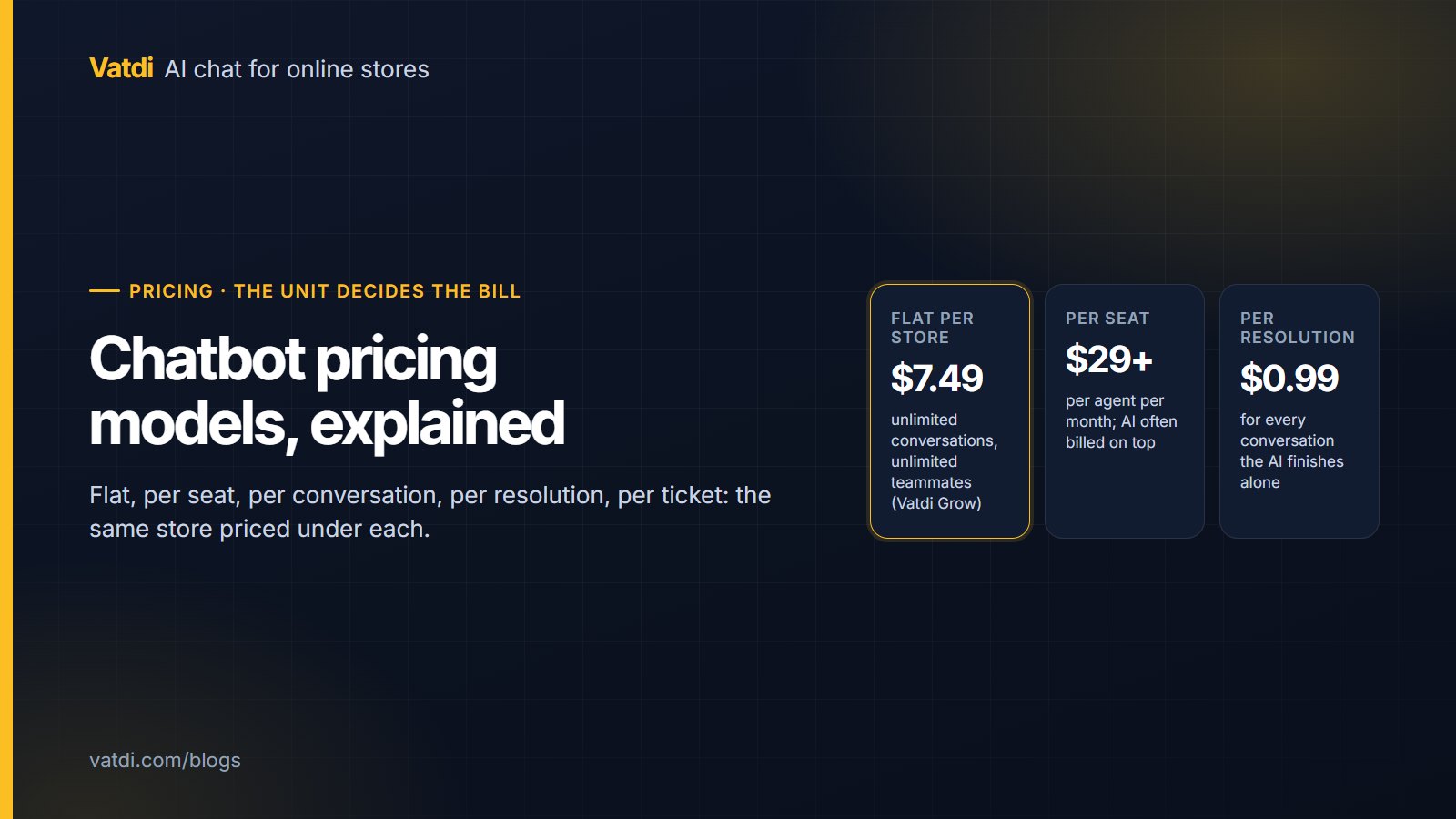
The pricing units you are choosing between are compared in chatbot pricing models explained.
Frequently asked questions
What is the best Drift alternative for a small business?
For a small business that needs website answers, lead capture and handover on a predictable bill, a flat-priced assistant such as Vatdi (free to $7.49 a month as of September 2026) covers what most small teams used Drift for. If you need leads in a CRM automatically, HubSpot's free tools or Intercom fit better; if your customers write on social channels, Tidio or Crisp. Decide which Drift features you actually used first.
How much does Drift cost, and why is it so expensive?
Drift is quote-only with no free plan; entry pricing is widely reported around $2,500 a month on annual contracts as of September 2026. The price reflects what it is: a conversational-marketing platform for B2B revenue teams, with meeting booking, account routing and sales-CRM integration. Those are valuable to a sales org and largely unused by a small team, which is why the alternatives above cost a fraction.
Is there a free alternative to Drift?
Yes, with limits. Vatdi's Free plan includes AI answers, lead capture, handover and languages for 15 conversations a month with a badge; HubSpot's free tools include a rule-based chatbot builder and a CRM; Tidio's free plan is live chat without AI answers. None offers meeting booking or account routing on a free tier. Confirm which of Drift's features you need before treating any free plan as a replacement.
Will I lose lead quality without Drift's qualification playbooks?
Not if you keep the questions that mattered. Most playbooks ask three or four qualifying questions; recreate those as a short pre-chat form or as the assistant's lead prompts, and drop the rest. A retrieval-based assistant also answers the visitor's question first, which raises the quality of the leads that do convert. Vatdi adds an automatic 1–5 trust rating you can edit.
Can a Drift alternative book meetings?
Most of the small-team alternatives cannot, and you should assume Vatdi cannot: it captures the request and a person confirms the slot. HubSpot and Intercom include meeting links in their platforms. If booking from chat is central to how you sell, weigh that feature explicitly rather than assuming a cheaper tool includes it.
How long does it take to switch from Drift?
An afternoon for the widget and content, then a month of keeping the old account read-only. Export your contacts, recreate the two or three qualifying questions, connect the content the new assistant answers from, set agent hours, swap the script on a staging page, run your ten most common questions, then go live. Most of the time goes into content, not configuration.