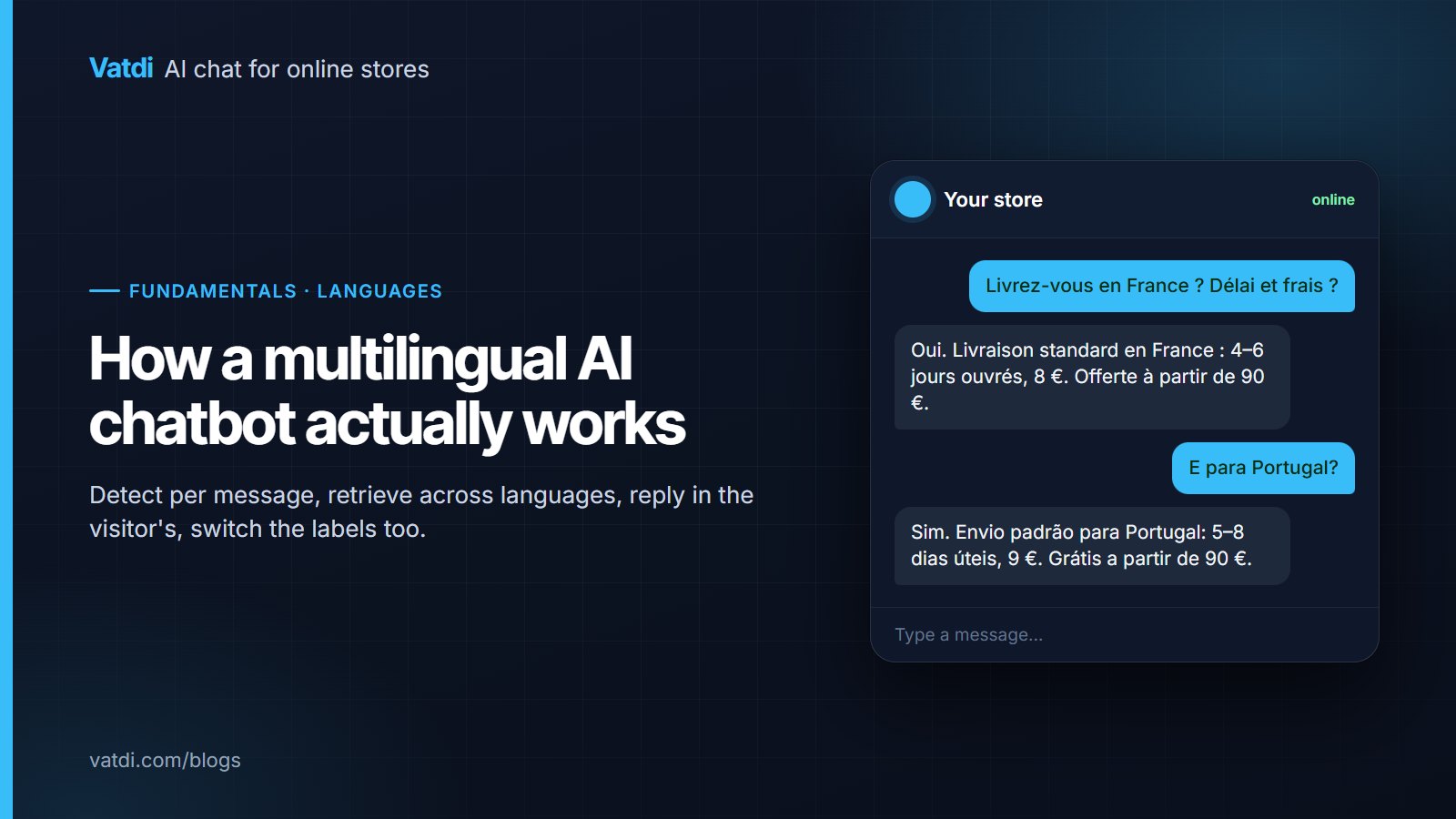
A multilingual AI chatbot does four separate things, and a demo usually shows only one. It detects the language of each message, retrieves the answer from content that may be written in a different language, writes the reply in the visitor's language, and switches the widget's own labels to match. This guide explains how each step works, where each one breaks, what you configure, and how to test it before customers find the gaps.
Step 1: detecting the language, per message
Good tools do not read the browser setting or the page language; they infer the language from the message itself, every message, so a visitor who switches from English to Spanish mid-conversation gets a Spanish reply. The inference is done by the language model as part of understanding the text, which is reliable for a sentence and unreliable for a fragment. "ok", "M", a product code or a number carry no language signal. That is what the fallback language is for: you choose it once, and the bot uses it when detection is not possible. Vatdi detects across 95+ languages with a per-store fallback; the feature page is multilingual AI chat.
Step 2: retrieving the answer across languages
Your returns policy exists in English. A German visitor asks about it in German. The retrieval step has to find the English passage from the German question. Two mechanisms make that possible, and they behave differently:
- Meaning-based search (embeddings) represents text as numbers that capture meaning, and modern embedding models place "Rückgabe innerhalb von 14 Tagen" near "returns within 14 days" (see OpenAI's embeddings guide). This is what lets a single-language knowledge base serve many languages.
- Keyword search matches literal strings. It is what finds a product code or an exact product name, and it does not cross languages at all, which is fine as long as product names are the same in every language.
Vatdi runs both over the synced catalogue, pages and uploads. The practical consequence: write your content once, in the language you write best, keep product names identical everywhere, and let retrieval do the crossing. The full mechanism is in how a RAG chatbot answers from your content.
Step 3: writing the reply in the visitor's language
Once the right passages are retrieved, the model writes the answer in the detected language from those passages. Numbers, prices and dates carry across cleanly; product names should not be translated, and a well-instructed bot keeps them as written. Two things deserve a check per market: terms with legal weight (returns window, warranty period, "working days" versus "days") and currency, which is data rather than language. If you sell in euros to Portugal and pounds to the UK, the price comes from the catalogue or the shipping table, not from translation. Product cards show the catalogue price as stored.
Step 4: switching the widget's own text
The placeholder in the input box, the quick-reply buttons, the pre-chat form, the offline notice and the "a person will reply" message are not generated per conversation; they are labels. A multilingual widget switches them to the detected language and lets you edit each translation, because machine translations of short UI strings are often slightly off. Vatdi translates every widget label per store with an AI first draft you review, and sets the language attribute so screen readers pronounce the text correctly; the W3C explains why that attribute matters in its note on declaring language in HTML.
Where it breaks, and the fix
| Symptom | Which step | Cause | Fix |
|---|---|---|---|
| Short reply comes back in the wrong language | 1 | No language signal in "ok" or a product code | Set the fallback language; test follow-ups after a long message |
| Product name translated in the answer | 3 | Model treated the name as ordinary words | Instruct the bot to keep product names as written; use distinctive names |
| Right policy found in English, missed in Japanese | 2 | Embedding coverage weaker for the language pair, or the answer only in an image | Add the key policy lines as an FAQ entry; put facts in text; test per language |
| Answer in Spanish, buttons in English | 4 | Labels not translated or not switching | Enable label translation; review the draft translations per store |
| Wrong currency or unit | 3 | Price or size taken from prose rather than data | Keep prices in the catalogue and shipping in a zones table |
| Mixed-language conversation drifts | 1 | Visitor switches language; bot detected once | Confirm the tool detects per message, not per session |
What you actually configure
- Fallback language, once per store.
- Widget label translations: generate the drafts, review the ones for markets you sell into.
- Instructions: keep product names as written; state delivery in ranges; decline what the content does not cover.
- Content structure: one question per heading, numbers in the first sentence, a shipping-zones table per destination.
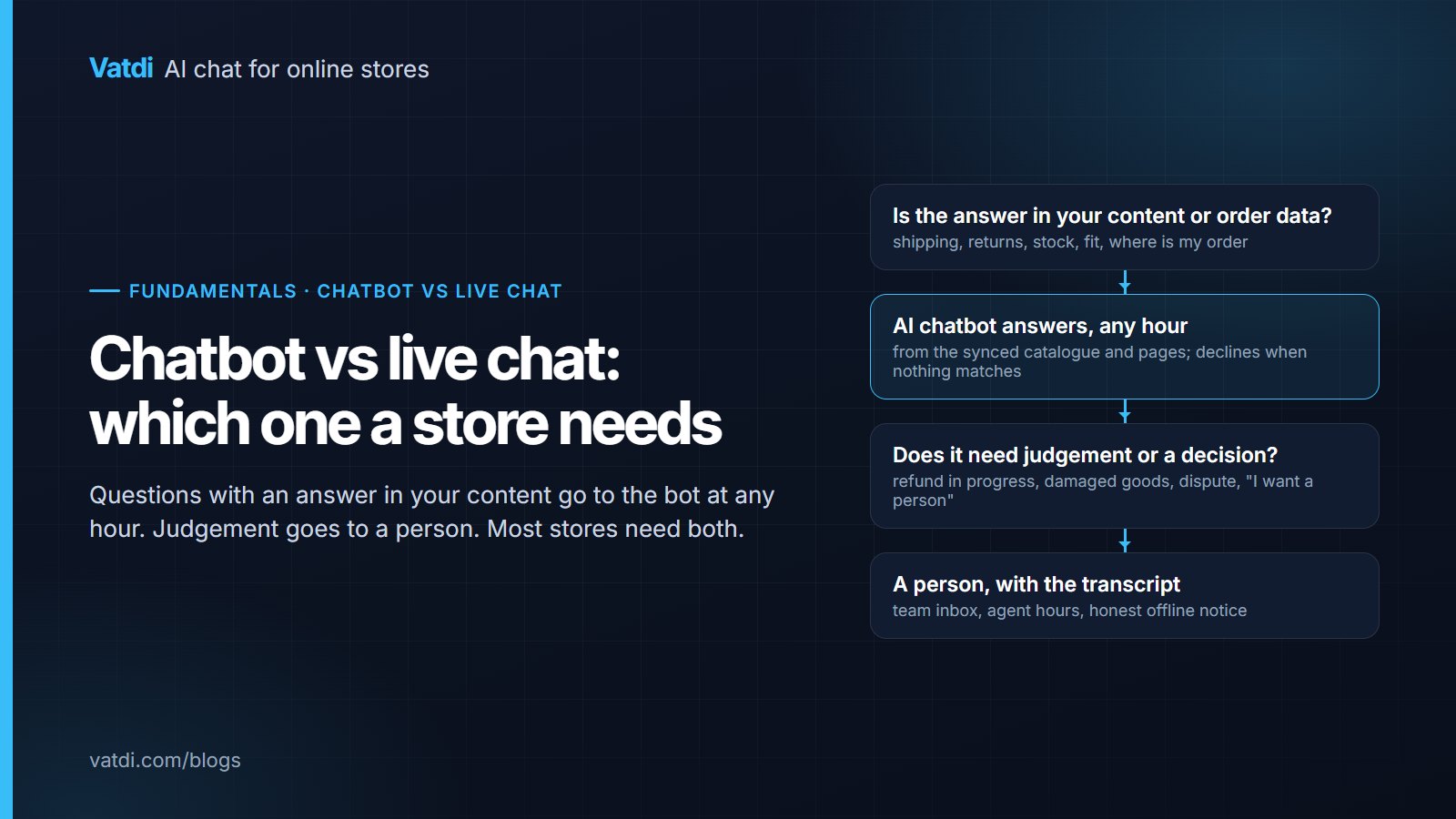
- Agent hours, so handover across time zones is honest; the handover pattern is in what chatbot human handover is.
Nothing on this list needs a developer or a paid tier; on Vatdi all languages and label translations are on every plan, including Free, and the plans differ only in monthly conversations (pricing). The step-by-step is in how to set up a multilingual chatbot.
Testing per market in twenty minutes
Ten questions per language you sell into, asked in the live widget on a phone: three product, three policy, two destination (shipping time and cost), two negative cases (a product you do not sell, an exact delivery date). Pass means the right fact, in the right language, with the product name untranslated and the labels switched. Run it before launch and after any content change; the matrix and the buying-side questions are in our guide to choosing a multilingual ecommerce chatbot, and the tools are ranked on this axis in best multilingual chatbot. For support teams rather than stores, AI chatbot for multilingual support covers the handover side.
Frequently asked questions
How does the chatbot know which language I am typing in?
It infers the language from the text of each message as part of understanding it, rather than from your browser or the page. Full sentences are detected reliably; fragments such as "ok", a number or a product code are not, so the store sets a fallback language that applies when detection is not possible. Because detection is per message, switching language mid-conversation gets a reply in the new language.
Do I have to translate my product pages and policies?
No. Meaning-based retrieval finds the matching passage in the language your content is written in, and the reply is written in the visitor's language. Keep product names identical in every language so keyword search and the product card still line up, and spot-check terms with legal weight, such as the returns window, in each market's language. Translating a shipping-zones table is optional; the numbers carry across.
Will the bot translate my product names?
It should not, and a well-instructed bot keeps them as written. If you see "Sendero 40L" for a product called "Trailhead 40L", tighten the instruction and prefer distinctive product names over descriptive ones, which models are tempted to translate. Test with a product question in each language and check that the name in the answer matches the name on the product card.
Does language support affect the price?
On Vatdi, no: all 95+ languages, automatic detection, the fallback setting and per-store label translations are on every plan, including Free. As of September 2026 the plans differ only in monthly conversations (15, 150, unlimited) and whether the "Powered by Vatdi" badge can be removed. Some other tools gate languages behind tiers; check the pricing page before relying on a feature list.
What about right-to-left or non-Latin scripts?
Detection and reply work the same way for any script the underlying model handles. Layout is a separate question: check in your trial that the widget renders right-to-left text and non-Latin characters correctly on a phone, that quick replies fit, and that the label translations read naturally. Ask the vendor to confirm the specific languages you sell into rather than relying on a headline count.
How do we handle handover when the visitor writes in a language the team does not speak?
Let the bot collect the details in the visitor's language and set expectations honestly through agent hours and the offline notice. The team can reply in its own language and rely on the customer's tools to translate, or use email for the follow-up. What matters is that the widget never promises more than the team can deliver, and that the transcript travels with the handover so nobody asks the visitor to repeat themselves.