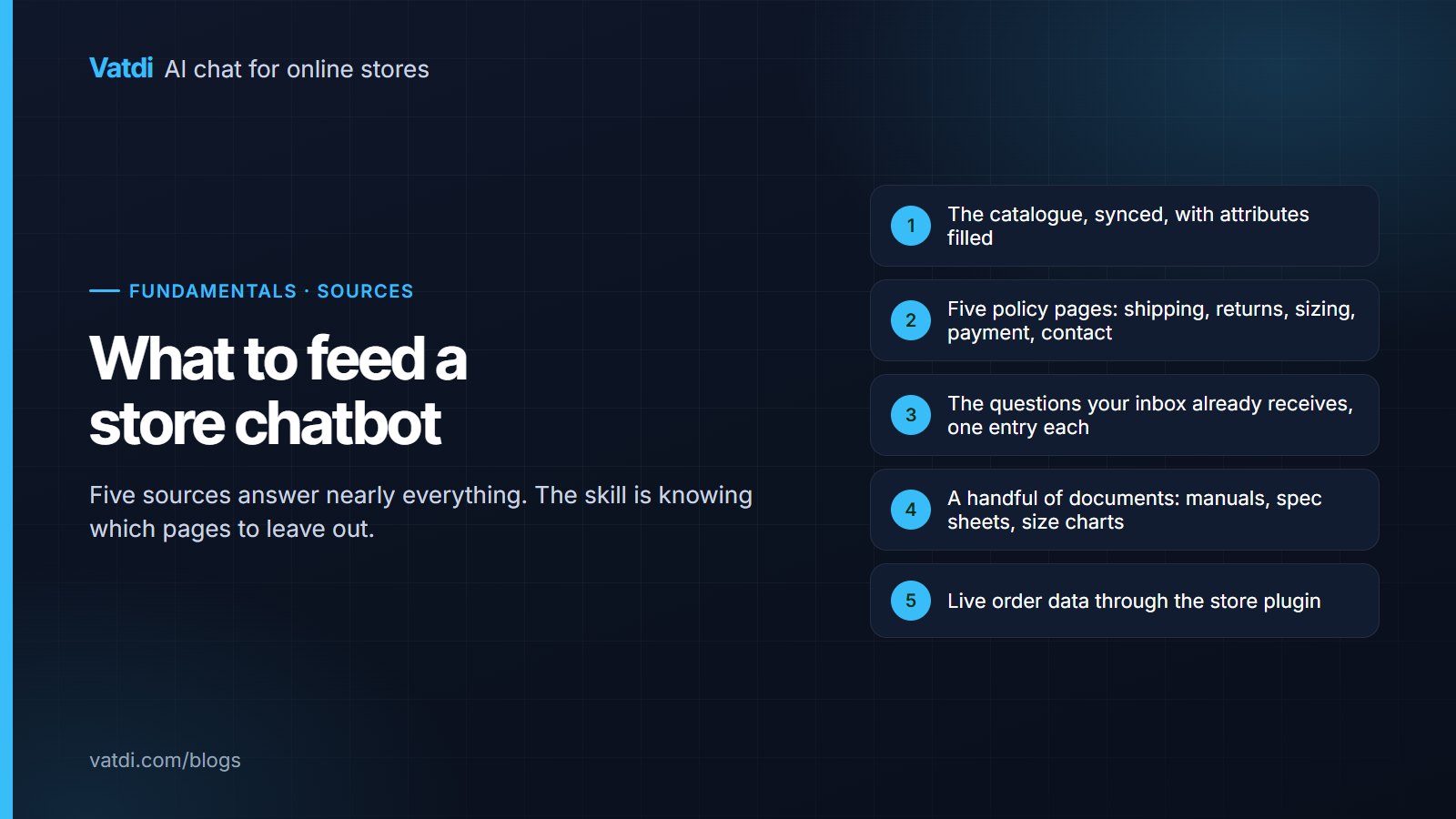
Deciding what to feed a store chatbot is mostly deciding what to leave out. Five sources answer almost every question a store receives: the catalogue, five policy pages, the questions already sitting in your inbox, a small set of documents, and live order data. Adding more beyond that usually makes answers vaguer, because old promotions and thin pages compete with the returns page for relevance.
The five sources, in priority order
| Source | What it answers | Effort |
|---|---|---|
| 1. Catalogue, synced | Stock, price, variants, specifications, alternatives | Minutes to connect, hours to fill attributes |
| 2. Five policy pages | Shipping, returns, sizing, payment, contact and hours | An afternoon to rewrite as questions |
| 3. Inbox questions | Everything the policies do not cover | An hour with last month's emails |
| 4. Documents | Manuals, spec sheets, care instructions, size charts | Minutes, if they exist |
| 5. Live order data | Order status, dispatch, tracking | Included with the store plugin |
Work down the list. A store with only the first two sources connected already answers the majority of what it is asked, which is why the order matters more than completeness.
1. The catalogue
Sync it through the plugin so prices, stock and variants stay current rather than being copied into a document that goes stale. Then fill the attributes your customers actually ask about on your best-selling products: material, size range, compatibility, capacity, power, whatever applies. An empty attribute is a question the assistant cannot answer, and it is the most common cause of a disappointing product conversation. The platforms with plugins are on the integrations page.
2. Five policy pages
- Shipping: cost and days per destination, the daily cut-off with a time zone, who pays duties.
- Returns: the window and what it counts from, conditions, exclusions by name, who pays postage, refund timing.
- Sizing: measurements as text, not as an image, with fit notes.
- Payment: methods accepted and any restrictions.
- Contact and hours: when a person is available, where, and in which time zone.
Each written with a heading per question and the fact in the first sentence; worked before-and-after versions are in chatbot knowledge base examples.
3. The questions your inbox already receives
Open last month's support email and write down every question that appears more than once. That list is more valuable than any template, because it is your customers rather than somebody's idea of them. Expect thirty to eighty entries for a small store, most of them one or two sentences. This is also the source that keeps producing value later, since the assistant's own list of unanswered questions extends it every week.
4. Documents worth keeping
Manuals, care instructions, spec sheets and warranty terms belong as files when they genuinely exist in that form. Two cautions. Very long documents can dominate a character-metered allowance, which is worth checking before uploading a two-hundred-page catalogue; the units vendors use are explained in chatbot training data pricing. And documents written for internal use often contain caveats that read badly when quoted to a customer, so read anything before adding it.
5. Live order data
Order status is the single most requested task in store chat, and it is a live lookup rather than stored content. Connect the plugin and it works without extra configuration; skip it and every order question becomes a handover. The look-up flow, including what to ask for and when to escalate, is shown in ecommerce chatbot examples.
What to leave out
- Blog archives, tag pages and pagination. They add item count and noise without answering anything.
- Expired promotions. A shopper offered last winter's discount is a support problem you created.
- Duplicated price lists. Prices belong in the catalogue, where they stay current.
- Internal documents. Written for colleagues, with tone and caveats that do not survive being quoted.
- Anything you would not show a customer. If it is in the knowledge base, it can appear in an answer.
Keeping it current without a project
Feeding an assistant is not a one-off task, but it does not need to become a job either. Three habits keep the sources honest. When a policy changes, edit the one page that holds it rather than adding a note somewhere else, because a second copy is a future contradiction. When a product line launches, check that the attributes customers ask about are filled before it goes live, since that is far quicker than doing it retrospectively for a hundred items. And once a week, read the list of questions the assistant could not answer and write the two or three entries it names. That last habit is the one that compounds: after a couple of months the list shortens to genuinely unusual questions, which is the point at which the knowledge base is finished for practical purposes. Anything more elaborate, such as a content calendar for help pages, is effort a small store rarely gets back.
Why less works better
A grounded assistant searches your sources for every question and composes an answer from the best matches, the approach described in Lewis et al., 2020. When three pages mention returns and only one is current, the search has to choose, and it will sometimes choose badly. Removing the other two is a bigger improvement than any configuration change. The same logic explains why clear, question-led pages help both assistants and readers, which is the point Google makes about helpful content for search.
How much is enough?
Stores often ask for a number, and the honest answer is that coverage matters more than volume. A hundred well-chosen entries covering the questions people actually ask outperform a thousand pages of everything you have ever published. A rough shape for a small store: the full catalogue, five to ten policy pages, forty to eighty question entries, and two or three documents. That lands comfortably inside most vendors' lower tiers, which is a reminder that content caps rarely decide the plan for a store that has curated its sources.
A sequence for the afternoon
Connect the plugin, rewrite the five pages, add the inbox questions, upload two or three documents, and stop. Then run the ten questions your customers ask most and let the failures tell you what to add next, rather than guessing. Vatdi counts pages, documents and entries together as knowledge items with products allowed separately, and the current allowances are on the pricing page; the full setup order is in the AI chatbot implementation guide, and the testing method is in how to test AI chatbot accuracy.
Frequently asked questions
What content should I give an AI chatbot?
The synced catalogue with attributes filled, five policy pages written as questions, the questions your inbox already receives, a handful of genuine product documents, and live order data through the store plugin. In that order. Most stores answer the majority of their questions from the first two alone.
Should I upload my entire website?
No. Blog archives, tag pages and expired promotions compete with your policy pages during retrieval and make answers vaguer. Choose the pages that answer questions and leave the rest out; a smaller, current set consistently outperforms everything you happen to own.
How many FAQ entries do I need?
Whatever your inbox produces, typically thirty to eighty for a small store. Write one question per entry rather than grouping several under a heading, and put the specific answer in the first sentence. The assistant's unanswered-question list then extends the set every week without guesswork.
Do I need to re-upload when something changes?
For synced sources, no: the catalogue and order data stay current through the plugin. For pages and documents, the assistant picks up the new version when the content is re-read, so the discipline that matters is having one authoritative copy of each fact rather than several.
What about product reviews?
Useful in moderation if they are on the product page already, since they answer practical fit and quality questions. Be aware that the assistant may quote a reviewer's opinion as though it were the store's, so keep reviews attributable and do not add them as separate documents stripped of context.
Can I feed it competitor information?
Better not to. Claims about other companies' products or prices are claims you have to defend, and they date quickly. Answer about your own range, and let an honest "we do not sell that" stand where it applies; shoppers trust the store that says so.