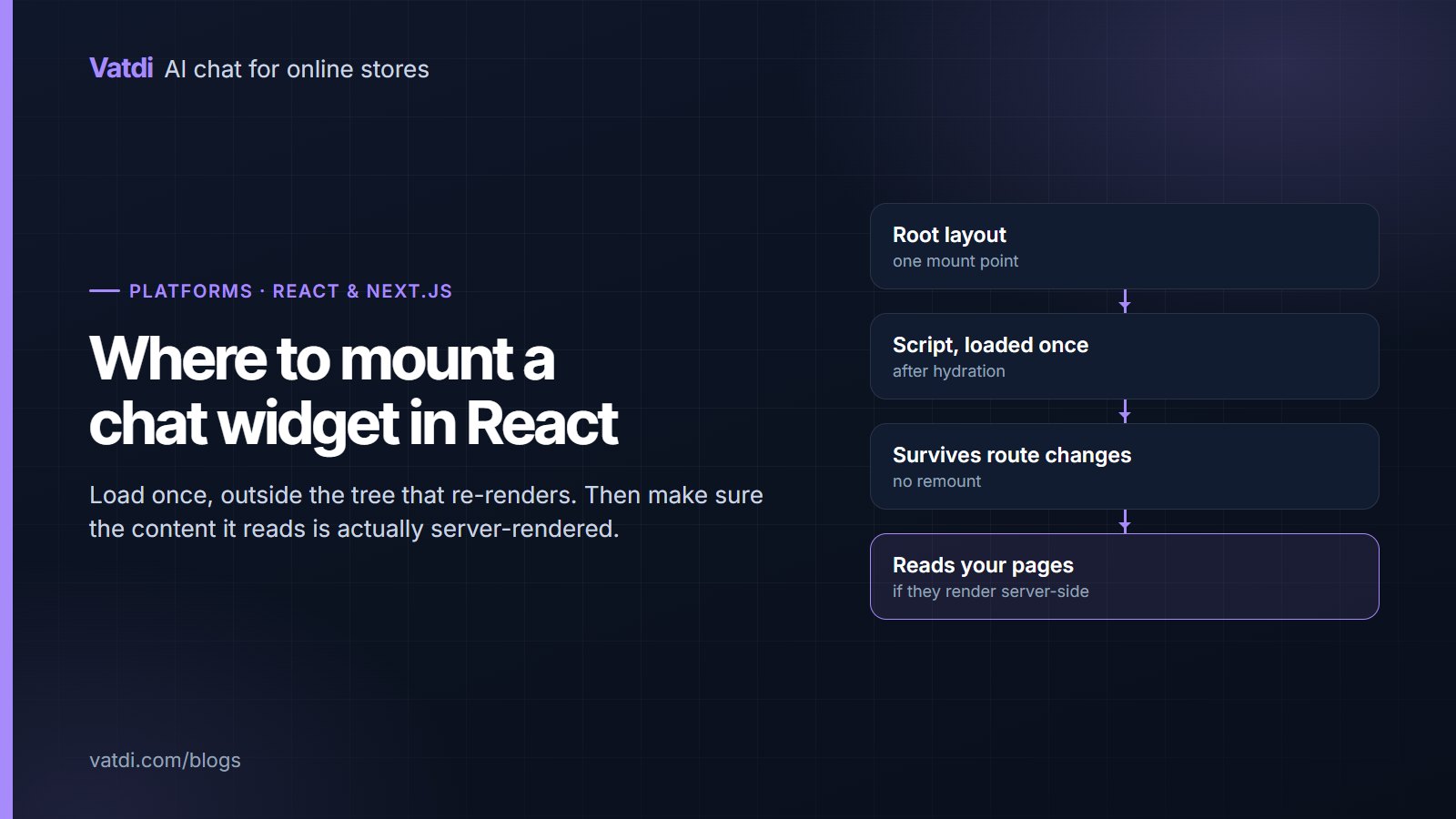
Adding a chatbot for React or Next.js sites is a mounting question rather than an integration project. The widget is a single script that should load once, sit outside the component tree that re-renders, and survive client-side navigation. Get those three right and the rest is the same content work every site needs.
Where to mount it
| Setup | Where the script goes | Why |
|---|---|---|
| Next.js app router | The root layout, using the framework's script component with an after-interactive strategy | Mounts once and persists across route changes |
| Next.js pages router | A custom document or the top-level app component | Same reason: one mount for the whole application |
| Create React App or Vite | The static index.html, before the closing body tag | Outside React entirely, so nothing can unmount it |
| A single-page section of a larger site | The shared template of the host site | Avoids a second instance loading inside the app |
The rule behind all four: the widget belongs outside the part of the tree that unmounts. Putting it inside a page component means it disappears and reloads on every navigation, which loses the open conversation and looks broken.
The three pitfalls
- Double loading. A script added in both the layout and a page component initialises twice, producing two launchers or none. Load it in exactly one place and check the DOM after navigating.
- Hydration mismatch. Injecting markup during the server render that the client render does not produce causes React to complain and sometimes to discard it. Load the script after hydration rather than rendering widget markup yourself.
- Route changes. Client-side navigation does not reload the page, so anything that assumes a fresh document will not re-run. A correctly mounted widget needs no re-initialisation; if yours does, it is mounted in the wrong place.
What the assistant can read
An assistant reads your published pages. If a page's text only exists after client-side JavaScript has fetched it, there may be nothing to read. Server-side rendering or static generation fixes this and helps search at the same time; Google's guidance on JavaScript SEO basics covers the same ground. Where rendering cannot change, add the key facts as knowledge entries or documents instead, so the assistant has a source even if the page is opaque.
Content still decides quality
React sites are often product marketing or documentation, where the questions are pricing, capabilities, integrations, limits and how to get started. Those answers should exist as pages with a heading per question and the fact in the first sentence, exactly as a store would write its shipping page. The format is in how to write a chatbot knowledge base, and the rewrite pattern in chatbot knowledge base examples. Documentation sites have an advantage here: the content is already structured, and the main gap is usually pricing and limits, which tend to live in a design that is hard to read as text.
If your React app is a storefront
A headless store built in Next.js in front of a commerce backend can still use the plugin for that backend, which is what enables live order lookup and catalogue sync. The widget script goes in the front end; the data connection goes to the platform. Where the backend has no plugin, the assistant answers from published pages only, which covers product and policy questions but not order status. The platforms with plugins are on the integrations page, and what changes without one is set out in AI chatbot for HTML website pages.
Documentation sites: the pricing gap
Developer documentation is the best-prepared content a grounded assistant can read: structured headings, explicit parameters, code examples with context. Two gaps recur anyway. The first is pricing and limits, which usually live on a marketing page built from components where the numbers are laid out visually rather than stated in a sentence. A plan card reading "Pro" then "$29" then a list of ticks makes sense to a reader and poorly to anything parsing text, so add one sentence per plan that states the price and what it includes. The second gap is versioning. If your docs cover three major versions, the assistant may answer from the wrong one, so either point it at the current version's pages only or make sure each page names its version in the text rather than only in a sidebar selector.
Single-page apps and deep links
An application where every route is rendered client-side and nothing is published publicly is a different case. Here the assistant is not reading your app, it is reading whatever public content you have: a marketing site, documentation, a help centre. That is usually the right division anyway, since the questions people ask in a chat widget are rarely about the state of their own session. What helps is publishing the things users ask about most, such as what a plan includes, how to export data or how to cancel, as public pages. Those pages then serve three audiences at once: search, the assistant, and the person who was about to open a support ticket.
Performance and behaviour checks
- Load strategy: after interactive, not before, so the widget never competes with your first paint.
- One instance: check the DOM after two navigations for duplicate launchers.
- Layout: confirm the launcher does not sit under a sticky header or a cookie banner on mobile.
- Conversation persistence: open a chat, navigate to another route, and confirm the conversation is still there.
- Content security policy: if you run a strict policy, allow the widget's origin, or it will fail silently.
Testing and cost
Ask the ten questions you receive most, plus four you cannot answer, and score each as correct, incomplete, wrong or declined well; the method is in how to test AI chatbot accuracy. As of September 2026 Vatdi is free for 15 conversations a month with every feature included, $4.49 for 150 and $7.49 for unlimited; see pricing. The retrieval approach that lets an assistant answer from your pages rather than a scripted tree is described in Lewis et al., 2020, and the wider sequence is in the AI chatbot implementation guide.
Frequently asked questions
Where should I add a chat widget in Next.js?
In the root layout with the app router, or in the custom document or top-level app component with the pages router, using an after-interactive loading strategy. The goal is one mount for the whole application, outside any component that unmounts during navigation. Adding it to an individual page works until someone navigates, at which point the widget reloads and the conversation is lost.
Why does the widget disappear when I change pages?
Because it is mounted inside a page component that unmounts on navigation. Move it to the root layout or the static HTML. A correctly placed widget survives client-side routing without re-initialisation, and the open conversation stays open. If you cannot move it, that is a sign the layout is doing work a shared template should do.
Do I need a React component for the chat?
No. The script creates and manages its own element outside React's tree, which is what avoids hydration problems. Wrapping it in a component that renders widget markup during the server pass is the most common way to cause a mismatch warning, and it buys nothing: the widget manages its own lifecycle either way.
Will it work with a strict content security policy?
Yes, provided you allow the widget's script origin and its connection endpoint. A strict policy that omits them causes a silent failure with no visible launcher, which is easy to misdiagnose as a mounting problem. Check the browser console first, where a blocked request is reported explicitly rather than failing quietly in the page.
My content is client-rendered. Can the assistant still answer?
Only if it can read the text somewhere. Server-rendering or statically generating the important pages is the clean fix and helps search too. Where that is not possible, add the key facts as knowledge entries or upload them as documents so a source exists.
Can it look up orders on a headless store?
Yes, when the commerce backend has a plugin, because the data connection is to the backend rather than the front end. Without one, the assistant answers product and policy questions from published pages but cannot report order status. Check which platform your backend actually is before assuming, since headless setups often sit on a platform that does have a plugin.