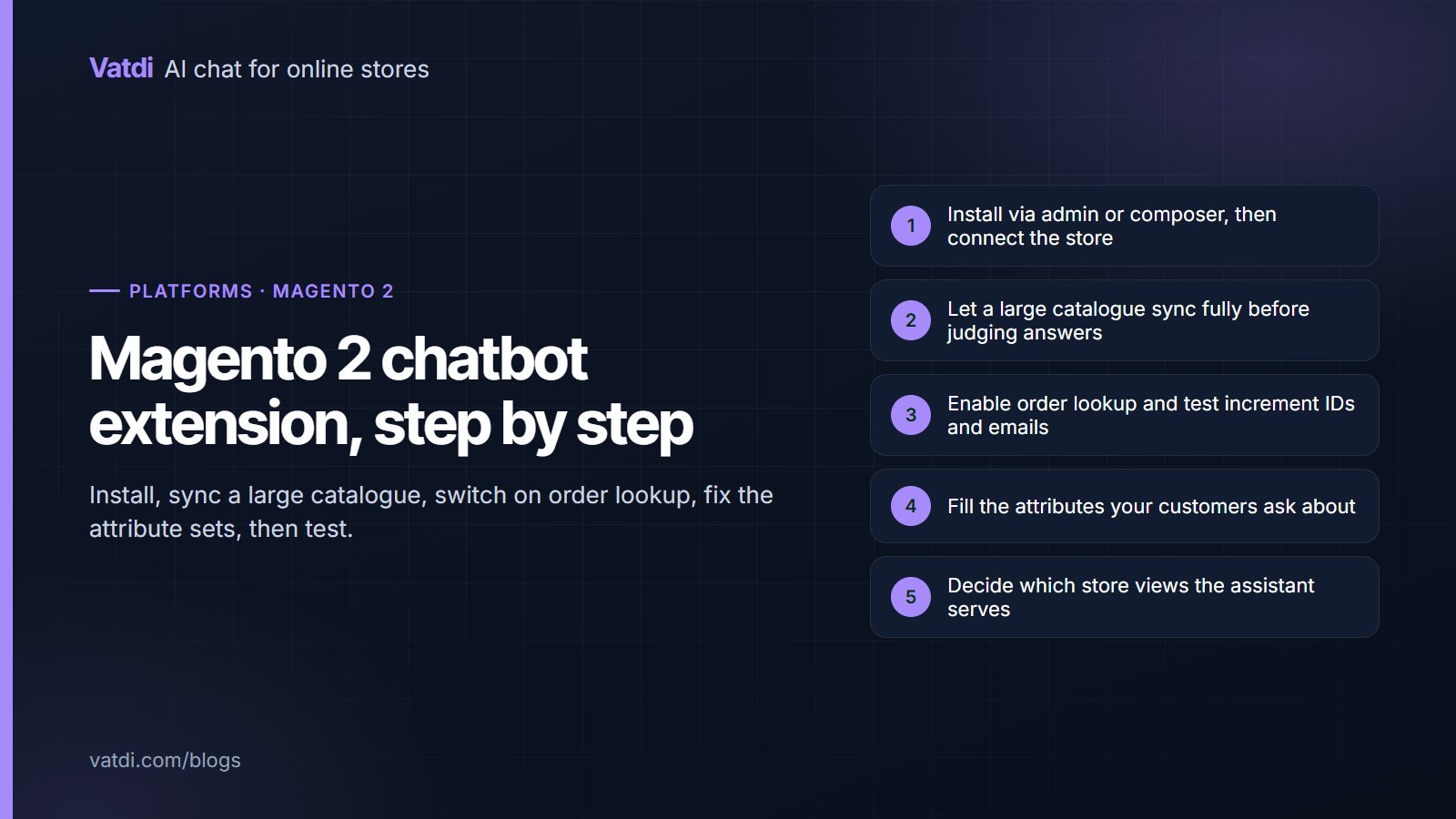
A Magento 2 chatbot extension installs through the admin or with composer and connects to the assistant without hand-copied API keys. Two things make Magento different from smaller platforms: catalogues are usually large enough that the first sync takes real time, and attribute sets decide whether product answers are specific or useless. Plan an afternoon, most of it on content and attributes.
Before you install
| Check | Why it matters |
|---|---|
| Magento or Adobe Commerce version | Extension compatibility and the composer path differ |
| Catalogue size | Tens of thousands of products change how long the first sync runs |
| Attribute sets | Attributes customers ask about must be populated, not just defined |
| Store views and websites | Decide which the assistant serves, and whether policies differ |
| CMS blocks and pages | Shipping and returns content must exist somewhere readable |
| Cache and indexers | A stale index makes a correct configuration look broken |
Installing and connecting
Either upload the extension in the admin or require it with composer, then run the usual setup upgrade and cache flush. Open its configuration, connect the store, and the catalogue begins syncing. If the extension does not appear after a composer install, the cause is almost always a missed setup:upgrade or a cache that was not flushed, rather than the extension itself. Downloads for each supported platform are on the integrations page.
Syncing a large catalogue
- Let it finish before judging. A partially synced catalogue produces confident answers about the wrong products, which reads as a quality problem and is not.
- Compare counts against enabled, visible products rather than the total row count.
- Check configurable products appear with their options rather than as a single item with no variants.
- Watch for a security layer blocking the sync request; a host firewall or WAF rule is the most common cause of a stalled count.
- Re-sync after bulk imports, since that is when prices and stock drift from what the assistant holds.
- Consider what to exclude. Disabled products, staff-only SKUs and spare-part variants rarely need to be answerable.
Attributes decide product answers
Pick the attributes that appear in real questions, fill them across your top sellers, and leave the long tail until the unanswered-question list names it. This is the highest-value hour in the whole setup, and it improves layered navigation and search at the same time.
Order lookup
Enable it in the extension configuration and test with a real increment ID and the email on that order. Then test the failures: an ID that does not exist, and a real ID with a different email. Both should decline cleanly, because that pairing is what stops one customer reading another's order. Magento's order increment IDs are often prefixed per store view, so check that a customer quoting the number from their confirmation email gets a match. Order status is the most requested task in store chat, so this is the check worth doing carefully.
Store views, websites and languages
Multi-site Magento installations need one decision made explicitly: does each website get its own assistant and content, or do they share? Share only when the policies, currency and catalogue genuinely match. Where returns terms differ by country, separate them, or the assistant will answer confidently about the wrong market. For languages, a grounded assistant replies in the language the shopper wrote in from the same knowledge base, so a store view does not need its own bot; what it may need is its own policy page where the terms differ. The reasoning is in multilingual chatbot setup.
The content work
Magento stores usually hold shipping rules in the admin rather than on a page, which means the assistant cannot read them. Write out five customer-facing pages, each with a heading per question and the fact in the first sentence: shipping costs and times by destination with the dispatch cut-off, the returns window with exclusions, sizing as text, payment methods, and contact hours. Before-and-after examples are in chatbot knowledge base examples, and what to include overall is in what to feed a store chatbot.
Three Magento-specific traps
The first is judging answer quality during the initial sync. On a large catalogue that window can last a while, and everything tested inside it is misleading. Wait for the count to settle. The second is indexers and cache: a configuration change that appears not to have worked has usually just not been reindexed or flushed, and re-doing the configuration in frustration makes things harder to diagnose. The third is bulk imports. A nightly product feed that rewrites prices and stock will put the assistant out of date until the next sync, so align the sync with the import rather than leaving it to chance. None of these are faults in the extension, but all three are commonly reported as if they were, which is why they are worth knowing before launch rather than after.
Testing before you announce it
- Ask the ten questions your customers send most, in their own wording.
- Ask four you cannot answer, and confirm it declines instead of guessing.
- Run the three order-lookup cases.
- Ask a product question that needs an attribute you just filled.
- Request a person and check the handover carries the transcript.
Score each reply as correct, incomplete, wrong or declined well; the method is in how to test AI chatbot accuracy. Magento's own developer documentation covers extension mechanics, and the retrieval approach behind the answers is described in Lewis et al., 2020.
What it costs
The extension is free to install and the plan decides the rest. As of September 2026 Vatdi is free for 15 conversations a month with every feature included, $4.49 for 150 and $7.49 for unlimited, with product and knowledge allowances per tier and badge removal the only paid extra; a large Magento catalogue is the case where the product allowance, rather than conversation volume, may decide the tier. See pricing for current numbers and the AI chatbot implementation guide for the wider sequence.
Frequently asked questions
How do I add a chatbot to Magento 2?
Install the extension through the admin or with composer, run setup upgrade, flush the cache, then connect the store in the extension's configuration. The catalogue syncs automatically and no API keys are copied by hand. Most failed installs are a missed setup upgrade rather than a problem with the extension.
Why are product answers vague?
Almost always because the attributes customers ask about are defined in the attribute set but left empty on the products. Fill material, dimensions, compatibility or whatever applies on your best sellers and the same extension starts answering a dozen more questions per product.
Does order lookup work with increment IDs?
Yes, using the reference the customer sees on their confirmation, together with the email on the order. Check any store-view prefix so a customer quoting their number gets a match, and deliberately test a mismatched email to confirm the assistant declines rather than returning someone else's order.
How long does the first sync take?
It depends on catalogue size, and large Magento catalogues take noticeably longer than small ones. Let it finish before judging answer quality, because a half-synced catalogue produces confident answers about the wrong products. A stalled count usually means a firewall rule rather than a slow sync.
Can one assistant serve several websites?
Only when policies, currency and catalogue genuinely match. Where returns terms or delivery differ by market, keep them separate so the assistant cannot answer confidently about the wrong one. Languages are different: a single knowledge base serves several languages without a separate bot.
Will it affect store performance?
The widget loads asynchronously and the sync runs outside the customer's request, so the storefront should not slow down. Worth checking on a category page with your other extensions active, since the practical risk on Magento is usually the accumulated weight of many extensions rather than any single one.