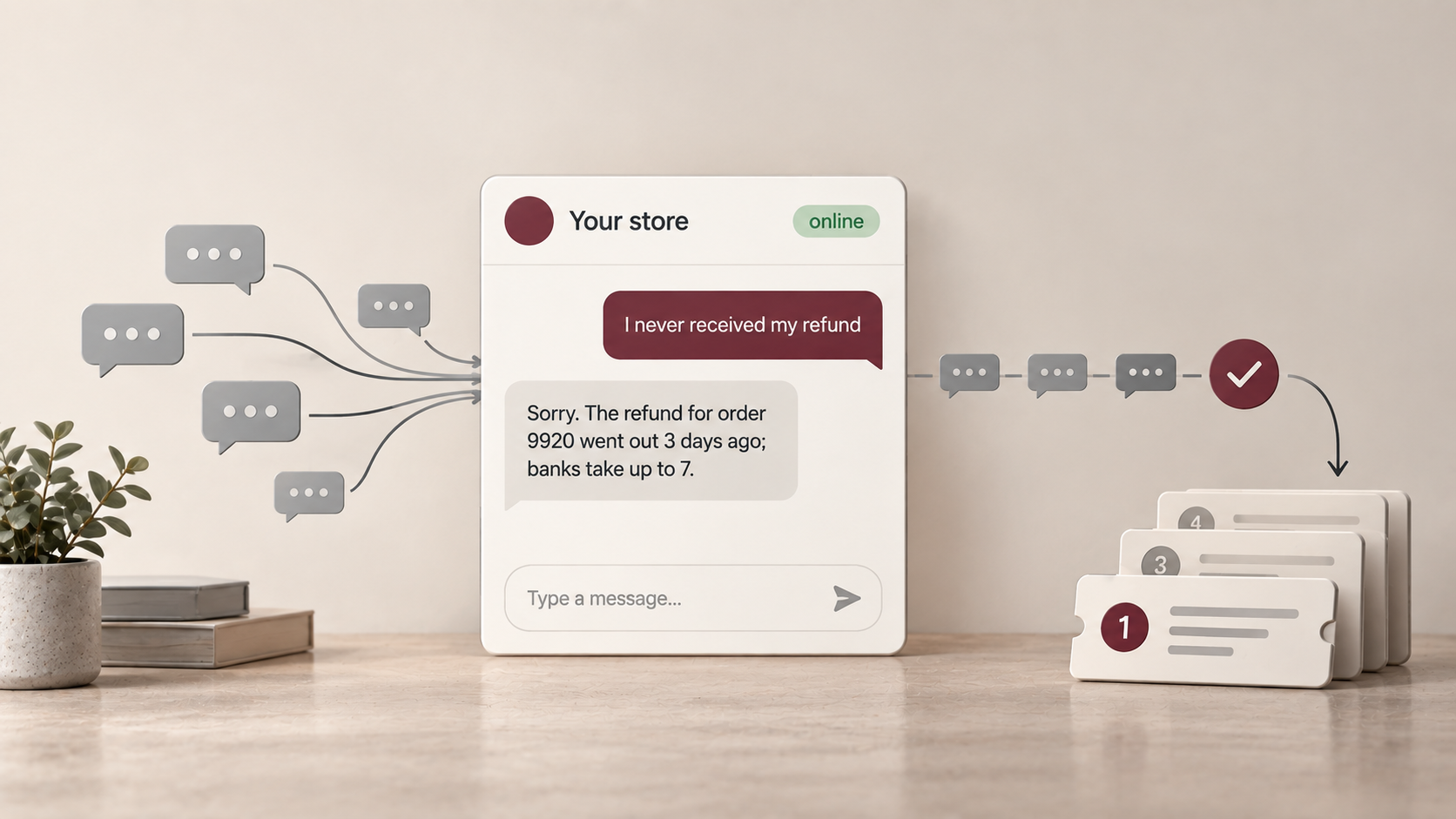
AI chatbot vs help desk software is a comparison between two different jobs. An assistant removes questions before anyone has to handle them. A help desk organises the ones that remain, so several people can work on them without collisions. Small stores usually need the first and rarely need the second, because ticketing solves a coordination problem that appears with headcount rather than with volume.
What each actually solves
| Problem | Assistant | Help desk |
|---|---|---|
| The same twenty questions, constantly | Answers them automatically | Files them tidily |
| Questions arriving at midnight | Answers immediately | Queues until morning |
| Two agents replying to the same message | No help | Assignment and status prevent it |
| Handing a conversation between shifts | No help | Notes and ownership make it work |
| Reporting across email, chat and forms | Chat only | One view of everything |
| Knowing which content to fix | The unanswered-question list | Tags, if anyone maintains them |
The rows split cleanly. Everything an assistant solves is about volume and timing; everything a help desk solves is about several people sharing work.
The four signs you have outgrown a shared inbox
- Two people reply to the same customer more than occasionally.
- Conversations get dropped because nobody was sure who owned them.
- Shift handovers lose context, so customers repeat themselves.
- You cannot answer basic questions about volume, response time or recurring topics without counting by hand.
None of those is about how many messages arrive. A single person handling two hundred conversations a month rarely needs ticketing; three people handling fifty often do. If none of the four applies, a shared mailbox plus a chat assistant is a complete stack, which is the argument in customer service automation for small stores.
Why order matters
Answer first, organise second. A help desk bought before the repetitive questions are handled produces a tidier version of the same workload, plus a subscription and a process to maintain. After the assistant is working, many stores find the remaining volume does not justify ticketing at all.
Where they overlap, and where they do not
Modern help desks include chat widgets, and some include an AI answering layer, which is where the comparison gets muddy. Two questions cut through it. Does the AI answer from your own catalogue and policy pages, or from saved replies someone maintains? And what is the pricing unit, since help desks typically charge per agent while chat assistants often charge flat or per conversation? A per-seat bill for a two-person store can exceed the entire cost of a flat-plan assistant several times over, which is worth calculating before comparing features. The models are set out in chatbot pricing models explained.
What you lose by skipping ticketing
- Assignment and status, which matter once more than one person replies.
- Cross-channel history, so an email and a chat from the same customer sit together.
- Structured reporting, if anyone actually maintains tags and categories.
- Internal notes, useful for handovers between shifts.
- Service-level tracking, which most small stores do not need and will not read.
Be honest about which of those you would use. Tagging discipline in particular tends to collapse within a month in small teams, which turns the reporting benefit into a theoretical one.
What changes when you do add ticketing
The transition is less dramatic than vendors suggest, and it is mostly about habits rather than software. Three things have to be agreed on the day you switch: who assigns conversations, what the statuses actually mean in your team, and how a conversation gets closed. Teams that skip those conversations end up with a ticketing system used as an inbox, which costs a subscription and delivers nothing. The second decision is where chat sits: many stores keep the assistant as the front door and route only escalations into the help desk, which keeps the ticket volume low and the reporting meaningful. Connecting every automated answer into a ticketing system produces thousands of tickets nobody reads and makes every average in the reports useless.
The cost comparison people skip
Do the arithmetic before the feature comparison, because the units differ enough to decide the question on their own. Help desks price per agent per month, which means a three-person team pays three times the headline figure and pays it again when someone joins seasonally. Chat assistants commonly price flat or per conversation, so the bill tracks volume rather than headcount. For a two-person store the difference over a year is often larger than either tool's entire feature advantage, and it is entirely predictable in advance. Two further details are worth checking: whether seasonal agents can be added and removed monthly, and whether the help desk's AI answering layer is included or a separate line. Both are common sources of a bill that looks reasonable in January and uncomfortable in December, and both are easy to ask about before signing rather than after.
A workable stack for a small store
A chat assistant connected to the catalogue and order data, a shared mailbox for email, and a weekly ten minutes reading the unanswered-question list. That covers volume, timing and improvement, which is where the value is at this size. Add ticketing when the four signs appear, and choose it then on how well it handles assignment and handover rather than on its AI claims, because by that point your answering layer already exists. The setup order is in the implementation checklist, and the metric set in the six chatbot KPIs worth watching. Vatdi includes the dashboard, handover and transcripts on every plan, with allowances on the pricing page as of September 2026, and the retrieval design that lets it answer from your pages is described in Lewis et al., 2020. For expectations about response times generally, LiveChat's customer service report is a reasonable external reference.
A note on channels
One further difference is worth naming, because it often decides the question by itself. Help desks exist partly to bring several channels into one place, so if a meaningful share of your contacts arrive by email, a web form and chat at once, that consolidation has real value. If almost everything arrives through the website, the consolidation solves a problem you do not have. Count a week of contacts by channel before deciding: the answer is usually clearer than any feature comparison, and it takes ten minutes.
Frequently asked questions
Do I need help desk software for a small store?
Usually not until more than one person is answering. Ticketing solves assignment, ownership and shift handover, which are coordination problems. A single person with a shared mailbox and a chat assistant covers a surprising amount of volume without any of that machinery, and adding process before it is needed creates work rather than removing it.
Which should I buy first?
The assistant, because it removes questions rather than organising them. Buying ticketing first gives you a tidier version of the same workload. After the repetitive questions are handled automatically, many stores find the remaining volume does not justify a help desk at all.
Do help desks include AI chat now?
Many do, which is why the comparison gets confusing. Ask whether their AI answers from your catalogue and policy pages or from saved replies someone maintains, and check the pricing unit. Per-agent pricing can cost several times a flat-plan assistant for a two-person store.
What do I lose without ticketing?
Assignment, status, cross-channel history, internal notes and structured reporting. Be honest about which you would use: tagging discipline usually collapses in small teams, which makes the reporting benefit theoretical rather than real. Judge each item by whether you would genuinely use it next month, not by whether it sounds useful in a demo.
Can the assistant replace email support?
No, and it should not try. It handles the repetitive and out-of-hours questions and hands everything else to a person, ideally in the same conversation. Email remains the route for anything that needs judgement, documentation or a slower back-and-forth, and the assistant should make that route obvious rather than hiding it.
When is the right time to add a help desk?
When two people reply to the same customer, conversations get dropped, shift handovers lose context, or you cannot answer basic volume questions without counting by hand. Those four signs are about headcount and coordination, not about how many messages arrive.