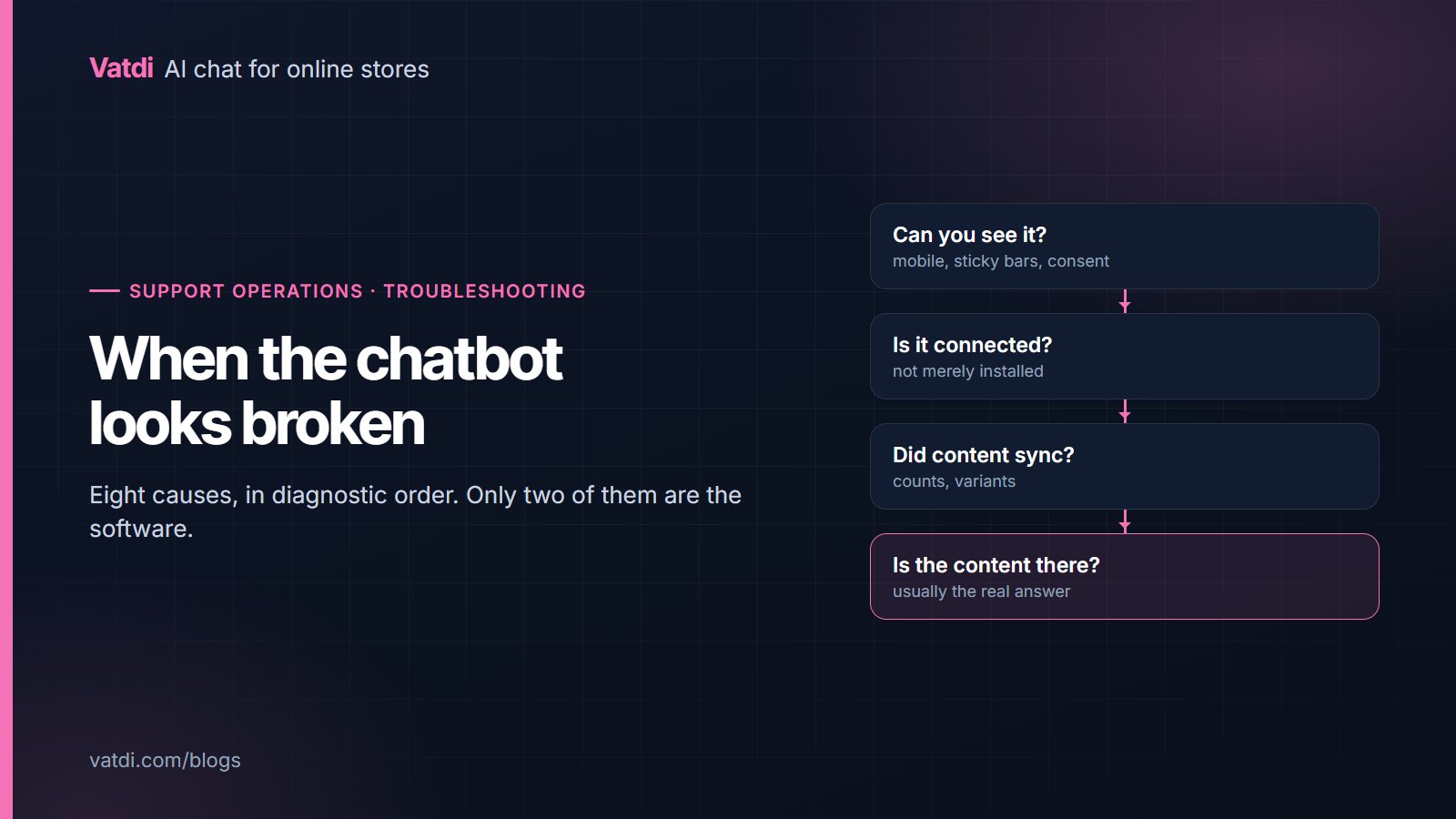
Chatbot installation troubleshooting is mostly a matter of checking things in the right order. When an assistant looks broken the cause is usually one of eight things, and only two of them are the software. Work down this list rather than changing settings at random, because a change made without a diagnosis leaves you with two problems instead of one.
The eight, in diagnostic order
| Symptom | Most likely cause | The check |
|---|---|---|
| No widget on the page | Placement, caching, or a consent layer | Open the live site on a phone with the banner showing |
| Widget visible, nothing happens | The store is installed but not connected | Look for a connected state, not just an active plugin |
| No products in answers | Sync stalled or blocked | Compare synced count with your published catalogue |
| Order lookup fails | Wrong reference, or the email must match | Test with the number from a confirmation email |
| Vague answers | Too many sources, or content without specifics | Check whether archives and tag pages are included |
| Contradictory answers | Two pages stating the same fact differently | Search your site for the number in question |
| Outdated answers | Caching, or content edited but not published | View the page as an anonymous visitor |
| Nobody uses it | Invisible on mobile, or launched silently and left | Check placement, then check the conversation count |
The widget is not there
- Look at the live site, not a builder preview or the Designer canvas; most embeds do not run there.
- Check mobile first, where sticky buy buttons, announcement bars and menu buttons compete for the same corner.
- Load the page with the cookie banner showing, since a consent layer can cover the launcher on first visit.
- Purge the cache on WordPress, Joomla, Drupal and Shopware, where a cached page will not include a newly added script.
- Check the snippet is site-wide, not pasted into a single page's code block.
Connected, or just installed?
These are different states and the distinction causes a surprising amount of confusion. A plugin can be active, visible in the admin and doing nothing, because the connection step was never completed or an outbound request was blocked. Security plugins and host firewalls are the usual culprits, and the symptom is a store that reports zero products with no error anywhere. Check the connection state in the plugin's own screen, then check whether anything is blocking outbound HTTP from the site. This is the one category where the fix is genuinely technical.
The sync stalled
Re-sync after bulk imports and price changes, since that is when stored data most often drifts from the shop. Platform-specific notes are in the setup guides, for example the Magento 2 guide and the PrestaShop guide.
Order lookup will not find anything
- Use the reference from a confirmation email, not the internal identifier in the admin, since those often differ.
- Check the email must match. A mismatch should decline, and that is correct behaviour rather than a fault.
- Test a guest-checkout order, which sometimes behaves differently from an account order.
- Check any order-numbering plugin, because installing one can silently change what customers quote.
- Confirm lookup is enabled for your platform at all; not every platform supports it.
The full verification design is in WooCommerce chatbot order tracking, and it applies on other platforms too.
The answers are vague
This is the most reported problem and almost never a software fault. Two causes dominate. The first is breadth: blog archives, tag pages and old promotions compete with the returns page during retrieval, so answers get vaguer as the site grows. Narrow the sources, as argued in what to feed a store chatbot. The second is content that states policies in general terms without the specifics customers ask for. Rewrite with a heading per question and the number in the first sentence, following how to write a chatbot knowledge base. Both changes take effect as soon as the content is re-read, because the assistant answers from your pages rather than a fixed script, the design described in Lewis et al., 2020.
The answers contradict each other
Search your own site for the number in question. If the returns window appears on the policy page, in the FAQ, in the terms and in a product tab, the assistant will quote whichever it finds, and the versions will eventually differ. Keep one authoritative copy and link to it from everywhere else. This is also the cause behind most "it told a customer the wrong thing" reports, and it is worth checking before anyone concludes the assistant is unreliable.
The answers are out of date
Two causes: a cache serving old content to visitors while the admin shows the new version, and content edited but never published. Check the page as an anonymous visitor in a private window. On Drupal, also check permissions, since content visible only to authenticated users is not public. On CMS platforms with a publish step, confirm the edit actually went live rather than sitting in a draft state. If the page is client-rendered by JavaScript, the text may not exist in the HTML at all, which is the same problem search engines face and which Google describes in its guidance on JavaScript SEO basics.
Nobody is using it
Before assuming disinterest, verify the assistant is visible on a phone with your usual sticky elements and consent banner present. Invisible is the most common reason for zero conversations. After that, look at where it appears: product and policy pages produce conversations, a contact page alone rarely does. And check whether it was launched quietly and then forgotten, which is a real cause of low usage rather than a failure of the idea. The mistakes worth auditing are collected in ten chatbot mistakes stores keep making, and the setup order in the implementation checklist.
When to ask for help
If the connection state is wrong and you have ruled out a security layer, or if order lookup fails with a reference you can see in the admin, that is a support question rather than a configuration one. Everything else on this list is yours to fix, usually in content. Vatdi includes the dashboard, handover and the unanswered-question list on every plan, with allowances on the pricing page as of September 2026; platform downloads are on the integrations page.
Frequently asked questions
Why is the chat widget not showing?
Check the live site rather than a builder preview, then check mobile with your consent banner visible, since sticky bars and cookie notices commonly cover the launcher. On cached platforms, purge the cache. Finally confirm the snippet was added site-wide rather than to a single page.
The plugin is active but nothing works. Why?
Active and connected are different states. The connection step may not have completed, or a security plugin or host firewall may be blocking outbound requests from your site. The symptom is zero synced products with no visible error, and this is the one genuinely technical category on the list.
Why does order lookup say it cannot find my order?
Usually because the reference differs from what customers see, or because the email must match and does not. Test with the number printed in a real confirmation email. A mismatch declining is correct behaviour, not a fault, since that pairing is what protects other customers' data.
Why are the answers vague?
Because the assistant is reading too much, or because your pages state policies without specifics. Narrow the sources to pages that answer questions, then rewrite those with a heading per question and the number in the opening sentence. Both changes take effect immediately.
It gave two different answers to the same question. What happened?
Two pages state that fact differently, and the assistant quoted whichever matched best. Search your site for the number, keep one authoritative copy, and link to it from the others. This single discipline prevents most reports of an unreliable assistant.
Nobody is using it. Is that normal at first?
A quiet first week is normal while visitors notice it. Zero conversations after a fortnight usually means it is invisible on mobile or only present on pages where nobody has questions. Check placement before concluding customers are not interested, and check which pages it appears on, since a contact page alone produces very little traffic.