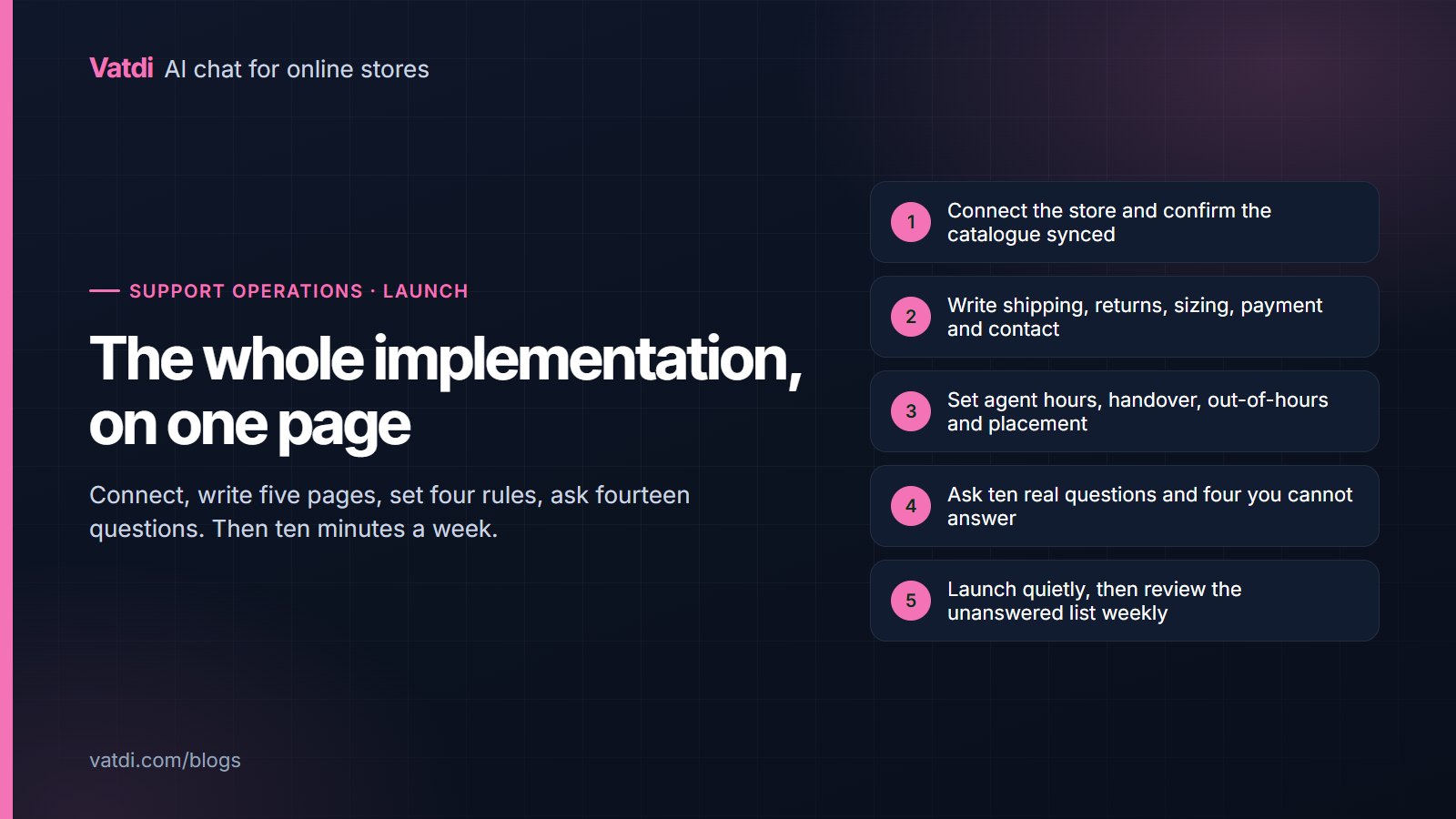
A chatbot implementation checklist worth following fits on one page. Connect the store, write five pages, set four rules, run fourteen questions, launch quietly, then review weekly. Most failed implementations skip the content stage and spend the time on settings instead, which is why they produce an assistant that declines everything and a team that concludes the technology does not work.
Stage one: connect
- Install the plugin or paste the embed, depending on your platform; the list is on the integrations page.
- Confirm the store shows as connected, not merely installed.
- Check the synced product count against your published catalogue, allowing for disabled items.
- Check variants appear as options rather than as one undifferentiated product.
- Enable order lookup where your platform supports it, and note which reference your confirmation emails show.
Stage two: content
| Page | Must state | Most often missing |
|---|---|---|
| Shipping | Cost and days per destination, dispatch cut-off, duties | The cut-off time and its time zone |
| Returns | Window, conditions, exclusions, postage, refund timing | Exclusions named individually |
| Sizing | Measurements as text, with fit notes | Anything at all, when the chart is an image |
| Payment | Methods accepted and any restrictions | Restrictions on high-value or international orders |
| Contact | Hours with a time zone, and the route | Honest weekend availability |
| Products | The four attributes customers ask about | Attributes defined but left empty |
Write each page with a heading per question and the fact in the opening sentence; worked rewrites are in chatbot knowledge base examples. Then add the questions your inbox already receives as entries. What to include and exclude overall is in what to feed a store chatbot.
Stage three: four rules
- Agent hours, stated honestly with a time zone, including weekends if you cover them.
- Handover triggers: the customer asks, no answer exists, a complaint or damage, or the conversation has looped twice.
- Out-of-hours behaviour: take an email, say when they will hear back, attach the transcript.
- Placement: closed by default, visible on product and policy pages, clear of sticky bars and consent banners on mobile.
Resist adding more. Long rule sets compete with your content, and the failure mode is over-escalation, which fills your inbox with policy questions; the reasoning is in chatbot human handover.
Stage four: fourteen questions
Add the three order-lookup cases if you have it: a real order, a real order with the wrong email, and a number that does not exist. The scoring method is in how to test AI chatbot accuracy.
Launch day
Launch quietly rather than announcing it. Open the site as a customer on a phone and confirm the launcher is visible, not covered by a sticky bar or a cookie notice, and not opening by itself over a product image. Ask one question on the live site to confirm the connection is real rather than a staging artefact. Then leave it alone: the first week is quiet while people notice it exists, and any settings changed in that period are changes made without evidence.
The first fortnight
- Read every conversation. There will not be many, and they are more informative now than at any later point.
- Fix the three most frequent gaps the unanswered list names, which are usually an image-only chart, a rule that lives in settings rather than on a page, and an empty product attribute.
- Check handover actually works by requesting a person yourself outside agent hours.
- Do not touch the instructions. Almost every disappointing answer at this stage is missing content.
- Note what surprised you, because that list is usually about the storefront rather than the assistant.
Who does each stage
In a small store one person usually does all of it, and that is the efficient arrangement, because the person reading the conversations is also the person who can fix the page. Where the work is split, keep content and conversation-reading together and let someone else handle the technical connection. The arrangement that fails is the common one: a developer connects the plugin, hands over, and nobody owns the content afterwards. Six weeks later the assistant is answering from a shipping page that changed in the meantime, nothing has errored, and the only symptom is customers being told the wrong thing. Name an owner for the weekly ten minutes before launch, even if the owner is you and the calendar entry feels unnecessary.
The weekly routine that keeps it working
Ten minutes: read the unanswered-question list, fix three things, skim the lowest-rated answered conversations, and check handover wait inside and outside hours. Monthly, add repeat contacts and a look at whether chat conversations precede orders. That is the whole ongoing commitment, and it is what separates an assistant that improves from one that quietly goes stale. The metric set is in the six chatbot KPIs worth watching, and the mistakes to avoid along the way are in ten chatbot mistakes stores keep making.
What to do when something looks broken
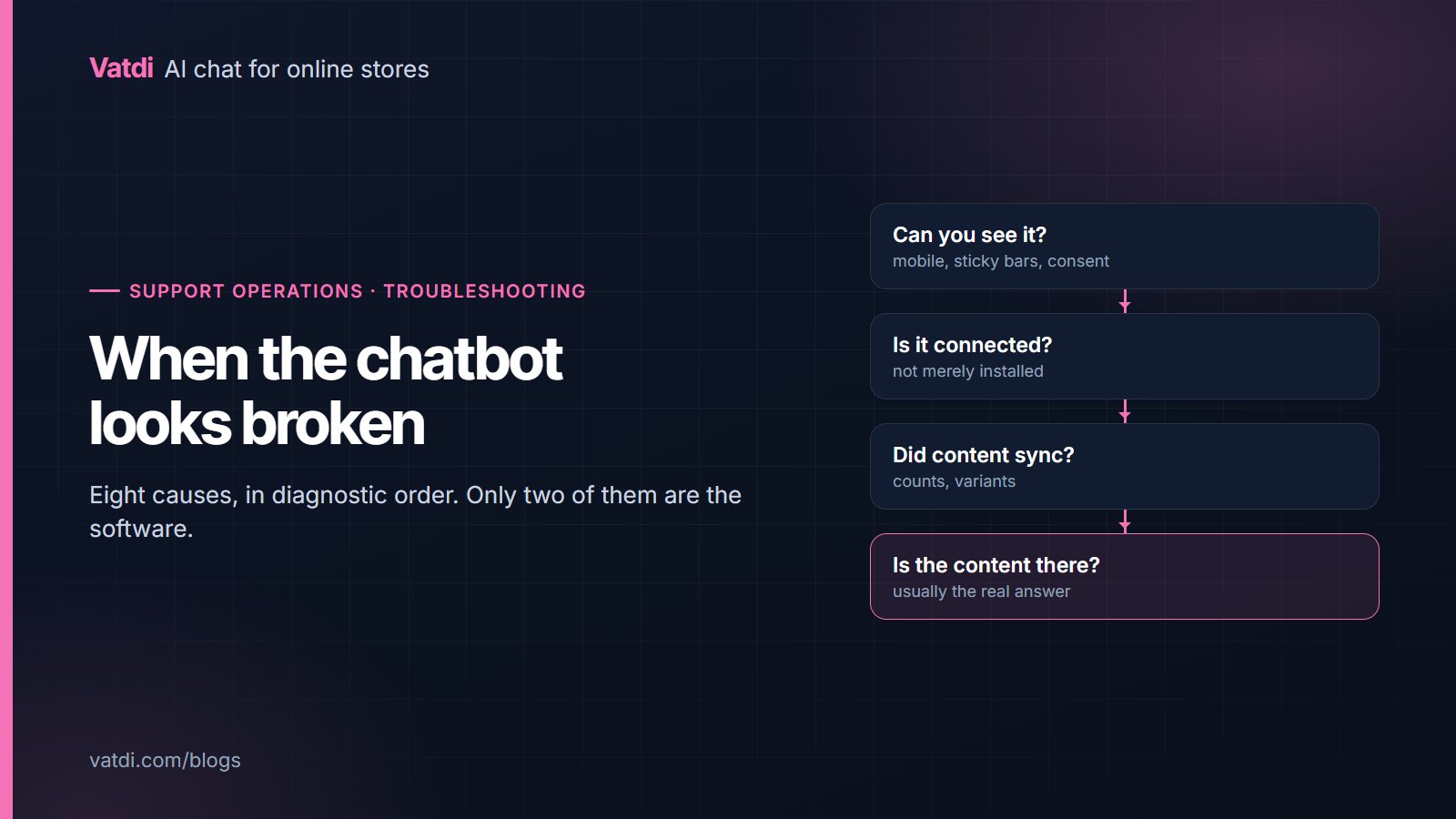
Work through the layers in order rather than changing settings first. If answers are vague, the sources are probably too wide: archives and tag pages competing with the pages that answer. If an answer is wrong, two pages almost certainly contradict each other, so find both and remove one. If product questions fail, check the attribute is populated rather than merely defined. If order lookup fails, check which reference the confirmation email shows and whether the email must match. If nobody is using the assistant at all, open the site on a phone, because the launcher is probably behind a sticky bar. Only after those five should you look at the assistant's own instructions, and then change one thing at a time.
What it costs to run
A plan fee and the hours above. As of September 2026 Vatdi is free for 15 conversations a month with every feature included, $4.49 for 150 and $7.49 for unlimited, with badge removal the only paid extra; see pricing. The content work is the real investment, and it improves the storefront regardless of which assistant reads it, which is the argument Google makes about helpful content. The retrieval design that makes a page edit change an answer immediately is described in Lewis et al., 2020, and the full narrative version of this checklist is in the AI chatbot implementation guide.
Frequently asked questions
How long does a chatbot implementation take?
An afternoon for a small store: minutes to connect, a few hours on five policy pages and product attributes, half an hour to set rules and test. Larger catalogues need more time on attributes rather than on configuration. Nothing here requires a developer on a plugin platform.
What is the most commonly skipped step?
The content stage. Teams connect the store, adjust settings, launch, and then wonder why answers are vague. The five pages and the product attributes are what the assistant actually answers from, so skipping them guarantees a disappointing result whatever the tool.
Should I announce the chatbot when it launches?
Not immediately. Launch quietly, let the first week's real questions arrive, fix what the unanswered list names, and then promote it if you want to. Announcing on day one means the largest audience sees the version with the most gaps in it.
What should I test before going live?
Ten real customer questions in their own wording, four you genuinely cannot answer, and the three order-lookup cases if you have lookup. Any confident wrong answer blocks launch, because it points at contradictory content that would reach customers. Use real customer wording rather than tidy sentences, since that is what the assistant will actually face.
How much ongoing work is it?
Ten minutes a week and a slightly longer look once a month. The weekly job is reading the unanswered-question list and fixing the top three, which is what keeps answers current as policies and products change. Skipping it is how an accurate assistant drifts.
Do I need to change settings after launch?
Rarely. Most post-launch improvements are content: a page that does not state the cut-off, an attribute left empty, an exclusion buried in the terms. Change one thing at a time if you do adjust settings, and re-run the fourteen questions afterwards.