An AI chatbot for nopCommerce runs through the theme embed rather than a plugin, which makes installation simple and sets a clear limit. It answers product and policy questions from your published pages. It cannot look up orders, because there is no Vatdi plugin for nopCommerce today, and this guide is explicit about what that changes rather than leaving you to discover it after launch.
What works and what does not
| Capability | On nopCommerce today | What to do about it |
|---|---|---|
| Policy questions | Yes, from your published pages | Write the five pages as questions |
| Product questions | Yes, from published product pages | Make sure specifications exist as text |
| Live stock | No live feed | Point at the product page rather than stating availability |
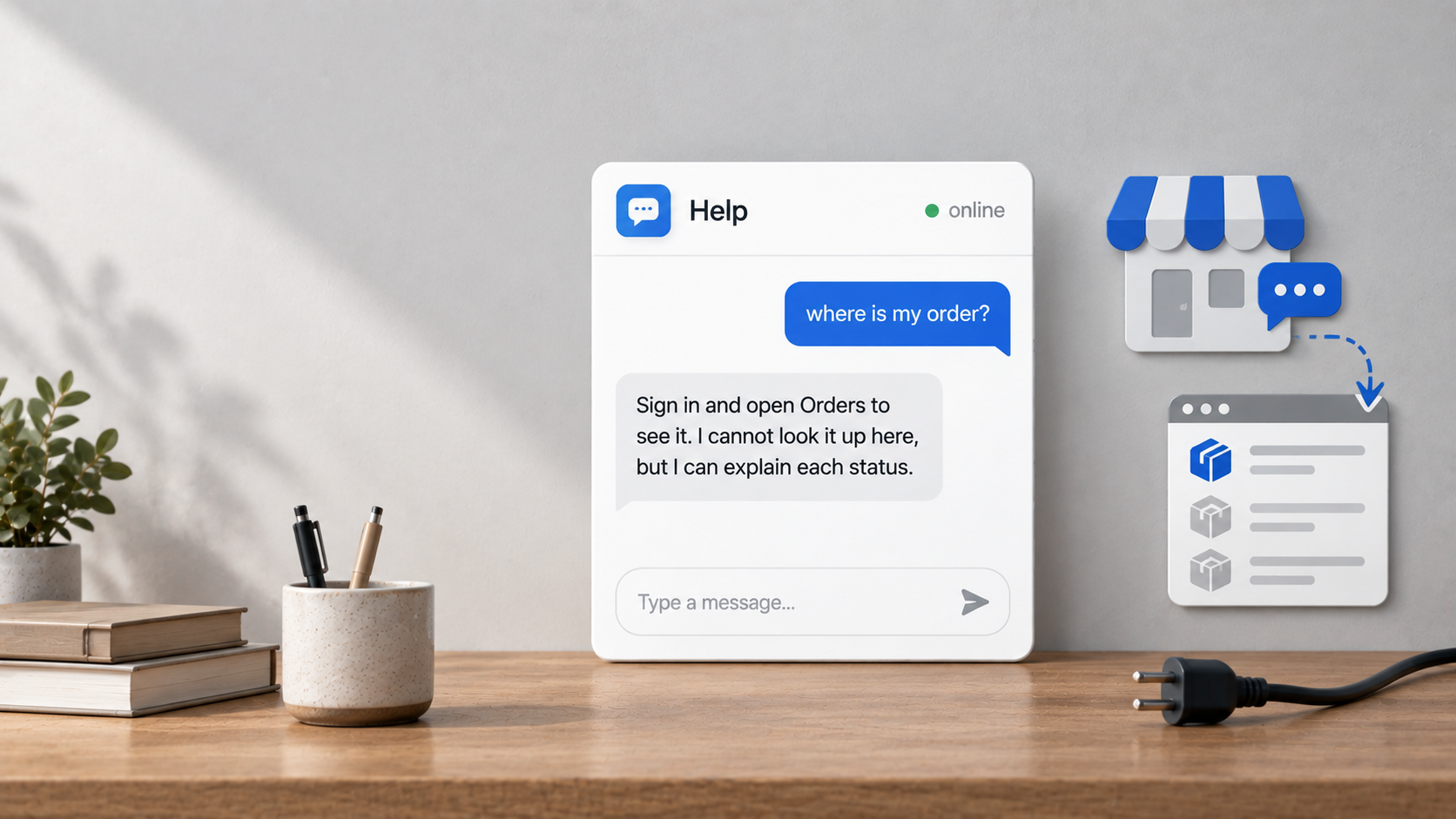
| Order status | No lookup without a plugin | Say so and route to the account page or a person |
| Handover | Yes, with the transcript | Set agent hours honestly |
| Languages | Yes, in the shopper's language | Keep one authoritative copy of each fact per market |
The platforms where live order lookup is available through a plugin are listed on the integrations page. If order status is the task you most need automated, that list is the honest place to check before committing.
Where the embed goes
- In the theme layout, before the closing body tag, so it appears on every page.
- Not in a single widget zone that renders on one page type only.
- Through a theme override rather than editing a core file, so an upgrade does not remove it.
- Check after a nopCommerce upgrade, since theme changes are where embeds quietly disappear.
- Test on mobile with your sticky elements and cookie notice present.
Setting expectations about orders
Write that wording once, put it in the assistant's instructions, and test it. nopCommerce customers can see order history in their account, so the useful reply names that route first and offers a person second. The escalation mechanics are in chatbot human handover.
The content that does the work
- Shipping: cost and days per destination, dispatch cut-off with a time zone, who pays duties.
- Returns: window, conditions, exclusions named, postage, refund timing.
- Sizing or specifications: measurements as text rather than an image.
- Payment: methods and any restrictions.
- Contact: hours with a time zone and the route to a person.
- Product pages: the four properties customers ask about, written as facts.
Worked before-and-after rewrites are in chatbot knowledge base examples, and the selection principle in what to feed a store chatbot. On nopCommerce the topic pages feature is the natural home for these, since topics are ordinary published content.
Using topics as the knowledge base
nopCommerce topics are a good fit for this work because they are ordinary published content that anyone with admin access can edit. Create one topic per question family rather than a single "information" page holding everything: shipping, returns, sizing, payment, and contact. Give each a heading phrased the way a customer asks and put the number in the first sentence. Link them from the footer so shoppers can find them without the chat window, which matters because a page that only the assistant reads tends to be forgotten when the policy changes. Where a topic is restricted to particular customer roles, remember that it is not public content, so either publish it openly or keep it out of the assistant's sources entirely.
B2B and trade pricing
nopCommerce is often used for trade stores with customer-role pricing, and that needs a decision before launch. Without a live connection the assistant sees published prices, which may not be what a logged-in trade buyer pays. The safe wording explains that trade pricing depends on the account and points the customer at their account view or a person, rather than quoting a retail figure that turns out to be wrong. If you publish quantity breaks or a trade price list openly, put those in a topic as text so they can be quoted. Lead times, minimum orders and payment terms are worth publishing for the same reason: trade buyers ask about them constantly, they rarely change, and answering them instantly saves your sales team a great deal of repetition.
What to leave out
Do not point the assistant at everything the storefront generates. Category listings, manufacturer pages, search results, tag pages and news archives contain no answers and compete with the pages that do. The symptom of over-inclusion is vague answers that get worse as the site grows, which stores usually misdiagnose as a weakness in the assistant. Choose the pages that answer questions, and revisit the list when the unanswered-question report names something missing. Fewer, current sources consistently beat everything the storefront happens to publish.
Testing before launch
Ask the ten questions your customers send most in their own wording, plus four you genuinely cannot answer, and score each as correct, incomplete, wrong or declined well; the method is in how to test AI chatbot accuracy. Add one order question deliberately, to confirm the honest wording appears rather than a guess. A confident invented order status would be the worst failure available on this platform, precisely because there is no data behind it. Test that case before anything else, and re-test it after any change to the assistant's instructions.
What it costs, and what to reconsider later
As of September 2026 Vatdi is free for 15 conversations a month with every feature included, $4.49 for 150 and $7.49 for unlimited, with badge removal the only paid extra; see pricing. If order status turns out to dominate your conversations, that is worth revisiting: it is the most requested task in store chat generally, and the platforms with plugins handle it as a live lookup. Our own conversation figures across real stores, with the method stated, are in our ecommerce chatbot statistics. The retrieval approach that lets the assistant answer from published pages rather than a script is described in Lewis et al., 2020, and nopCommerce's own documentation covers theme and topic management, which is where most of this setup actually happens.
Frequently asked questions
How do I add a chatbot to nopCommerce?
Add the embed snippet to your theme layout before the closing body tag, using a theme override rather than editing a core file. That puts it on every page and survives upgrades better. Then choose which published pages the assistant reads and write those as questions.
Can it check order status?
Not today, because there is no Vatdi plugin for nopCommerce, so there is no live connection to order data. Set the assistant to say that plainly, point customers at their account page where order history lives, and offer a person. Guessing an order status would be far worse than declining.
Does it know my stock levels?
Only what your published product pages state. Without a plugin there is no live catalogue feed, so the assistant should point at the product page rather than asserting availability. Keeping specifications as text on those pages is what makes the rest of the product answers useful.
Will an upgrade break it?
A theme upgrade can remove an embed added directly to a layout file, which is why an override is the safer route. After any upgrade, open the live site and ask one question. Two minutes confirms the assistant is still present and still answering.
Is it still worth it without order lookup?
For most stores yes, because shipping, returns, sizing and product questions are a large share of what arrives, much of it outside working hours. If your conversations turn out to be dominated by order status, that is a signal to reconsider the platform question rather than the assistant. Read a month of conversations before deciding either way, since the mix differs more between stores than most owners expect.
Where should the widget appear?
On product and category pages, where hesitation happens, and on the topic pages people open looking for policies. Closed by default, and checked on mobile with your theme's sticky elements and cookie notice visible, since those commonly cover the same corner.