From mid-November, "will it arrive in time" becomes the most common question a store receives, and a vague answer costs sales. Holiday shipping cut-offs are easy to answer automatically, provided they exist on a page as dates rather than living in somebody's head. This guide covers how to publish them, how to word the answer, and what to do when a courier slips.
What the page needs
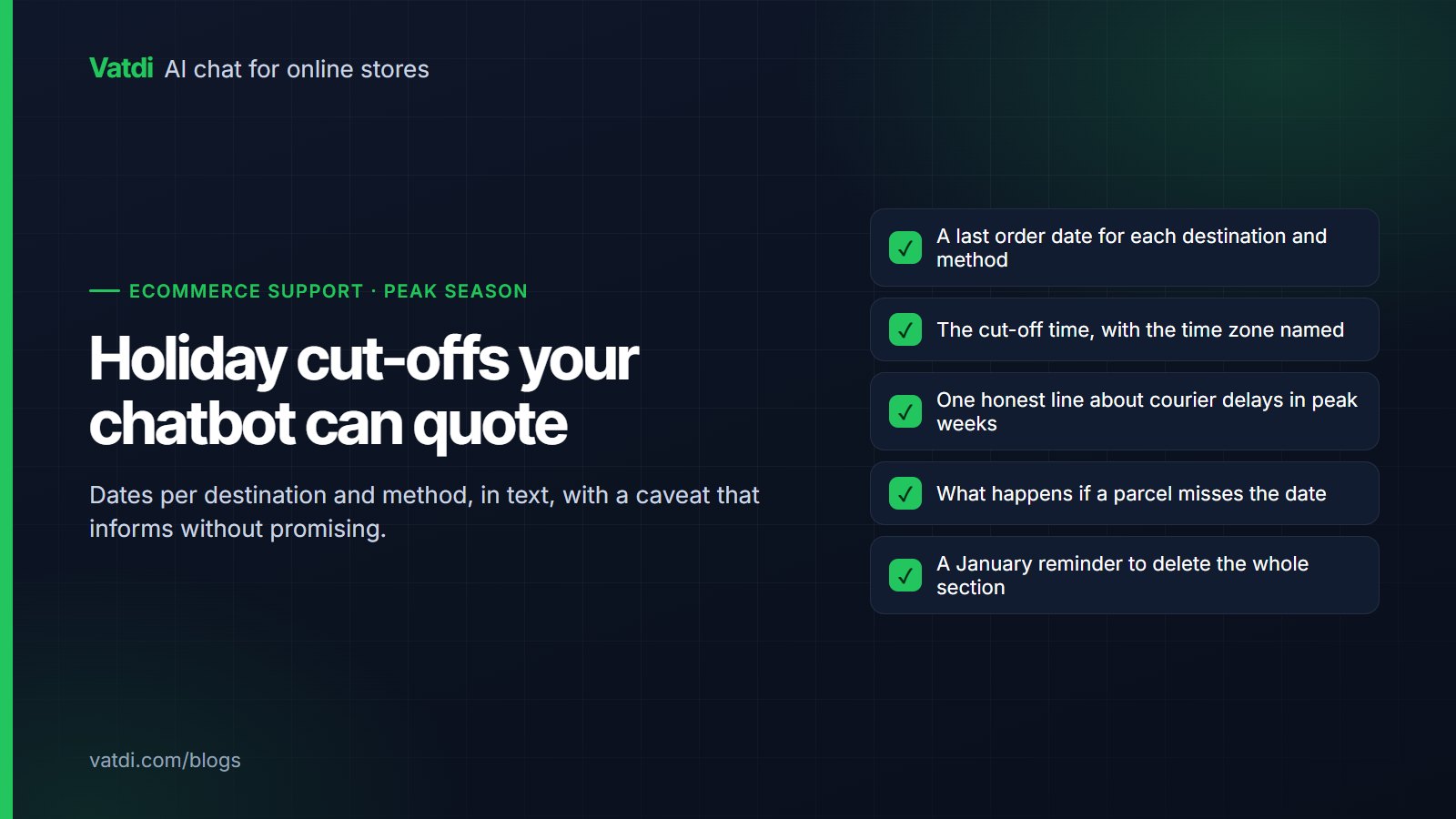
| Element | Example | Why |
|---|---|---|
| Last order date | "Thursday 18 December" | The fact the shopper came for |
| Cut-off time and zone | "by 3pm UK time" | "Order by Thursday" is ambiguous without it |
| Destination | UK, EU, rest of world, each separately | Dates differ by weeks between them |
| Method | Standard, express, courier | Shoppers will pay more if the date works |
| Caveat | "Couriers can run slower in peak weeks" | Informs without turning an estimate into a promise |
| What if it misses | Your position on late arrivals | The follow-up question, answered in advance |
Write it as a heading phrased like the question, "When is the last day to order for Christmas delivery?", with the dates underneath in text rather than in an image. An assistant quotes what it can read, and so does a shopper on a phone.
The wording that works
Four elements in one answer: the date, the time with a zone, the method it applies to, and an honest caveat. "Order by 3pm UK time on Thursday 18 December for standard delivery to UK addresses before Christmas. Couriers can run slower in peak weeks, so earlier is safer." That is specific enough to act on and careful enough not to become an obligation. Avoid the two failure modes: a vague "order early" that helps nobody, and a confident "guaranteed by the 24th" that turns one late parcel into a refund and a complaint. If you genuinely sell a guaranteed service, name it separately so the guarantee attaches to the product you actually offer.
What happens when a courier slips
Set the escalation rule before the season rather than during it, so a missed delivery reaches a person immediately with the order reference and transcript. The general pattern is in chatbot human handover, and the tracking-specific behaviour in a chatbot for shipping questions.
Common mistakes
- Dates only in an email or a banner image. Neither can be quoted by an assistant, and the banner disappears on mobile.
- One date for every destination. International cut-offs are usually a fortnight earlier, and a shopper in another country deserves the real number.
- No time zone. "By Thursday" means different things at 23:00 in another country.
- Guarantees you cannot keep. A promise made by an assistant is still your promise.
- Leaving last year's dates published. In February this produces confidently wrong answers with no obvious cause.
- Not saying what happens if it is late. The most-asked follow-up, and the cheapest to answer in advance.
Gift questions arrive with the deadline
The same shoppers ask three related things: whether returns are extended for gifts, whether you include a gift receipt or hide the price, and whether you can deliver to a different address. All three are content, all three are asked before purchase, and all three protect a sale when answered immediately. Write them as their own headings on the same page as the cut-offs, since that is where people will be looking. The returns side is covered in a chatbot for returns and refunds. Unclear delivery and returns terms are among the documented reasons shoppers abandon a checkout, which Baymard sets out in its research on cart abandonment.
Keeping it accurate in the moment
If a date turns out to be wrong, correct the page immediately, because that error compounds with every hour it stays published. Otherwise do not edit anything during the busiest weeks: read the unanswered-question list once a day, fix repeated content gaps, and leave settings alone. An instruction changed at midnight on the busiest weekend of the year is the change nobody will remember making. The wider peak-season preparation is in the Black Friday chatbot checklist, and the test set worth re-running before the weekend is in how to test AI chatbot accuracy.
Getting the dates in the first place
Your carriers publish their own last posting dates each autumn, and your cut-off is theirs minus your handling time. Work it out deliberately rather than copying last year:
- Start from the carrier's published date for each service you actually use.
- Subtract your own handling, honestly, including any day the warehouse does not dispatch.
- Subtract a buffer for the days when volume is highest, because your own pick and pack slows down too.
- Do it per destination, since international services close far earlier than domestic ones.
- Write the result as a date and a time, not as "a few days before".
Then publish it in text on the shipping page so the assistant can quote it, and put the same table where your team can see it, because they will be asked the same question by phone and the two answers must match. What the plan allows in terms of conversation volume during this period is worth checking too, and the allowances are on the pricing page, where every feature is on every plan as of September 2026.
The January cleanup
Put a reminder in the calendar to delete the dated section in the first week of January. Stores that skip this end up with an assistant citing last December's cut-offs in March, which is both wrong and hard to trace, because the page looks seasonal rather than broken. Keep the permanent shipping facts, the cost, the working-day ranges and the daily dispatch cut-off, and remove only the dated block. It takes two minutes and it is the difference between a page that ages well and one that quietly misinforms. The assistant then reverts to quoting the standard ranges without any further work, since it answers from whatever your pages currently say, the mechanism described in Lewis et al., 2020.
Frequently asked questions
How should I publish holiday delivery dates?
As text on your shipping page, under a heading phrased as the question, with a last order date and cut-off time for each destination and method. Avoid putting them only in a banner image or a marketing email, since neither can be quoted when a shopper asks at eleven at night.
What should the chatbot say about arriving in time?
The date, the cut-off time with a zone, the method it applies to, and one honest caveat about couriers running slower in peak weeks. That is enough for a shopper to decide, without turning an estimate into a guarantee your carrier never offered you.
Can it promise delivery by a specific day?
Only if you genuinely sell a guaranteed service and say so on the page. Otherwise quote the range and the cut-off. A promise an assistant makes is your promise, and one late parcel in December costs more in refunds and reviews than the extra sale was worth.
What about international orders?
Give each destination group its own date, since international cut-offs are usually well ahead of domestic ones. Also state who pays duties, because a cross-border shopper facing an unexpected charge often refuses the parcel, which is a return you funded twice.
What if a parcel misses the date anyway?
Set the rule so it reaches a person immediately with the order reference and transcript attached. Refunds, goodwill and exceptions are business decisions rather than lookups. Publishing your position in advance also lets the assistant answer the question before anyone has to ask it.
When should I remove the dates?
The first week of January, as a calendar reminder. Leaving them published produces confidently wrong answers months later with no obvious cause. Remove only the dated block and keep the permanent shipping facts, so the assistant reverts to quoting your standard ranges automatically.