A Joomla chatbot works the same way as on any other platform: an extension connects the site, the shop component supplies product data, and Joomla articles supply the policy answers. VirtueMart and HikaShop are the two commerce components most stores run, and both expose enough for an assistant to answer product questions, provided the data is actually filled in.
What you need before installing
| Check | Why it matters |
|---|---|
| Joomla version | Extension compatibility differs across the 4 and 5 lines |
| Shop component | VirtueMart and HikaShop store product data differently |
| Custom fields or product attributes | Empty fields are the main cause of weak product answers |
| Articles for policies | Shipping, returns and payment must exist as readable articles |
| Menu structure | Determines whether those articles are published and reachable |
| Caching and admin access | Joomla caching can hide a change you just made |
Installing and connecting
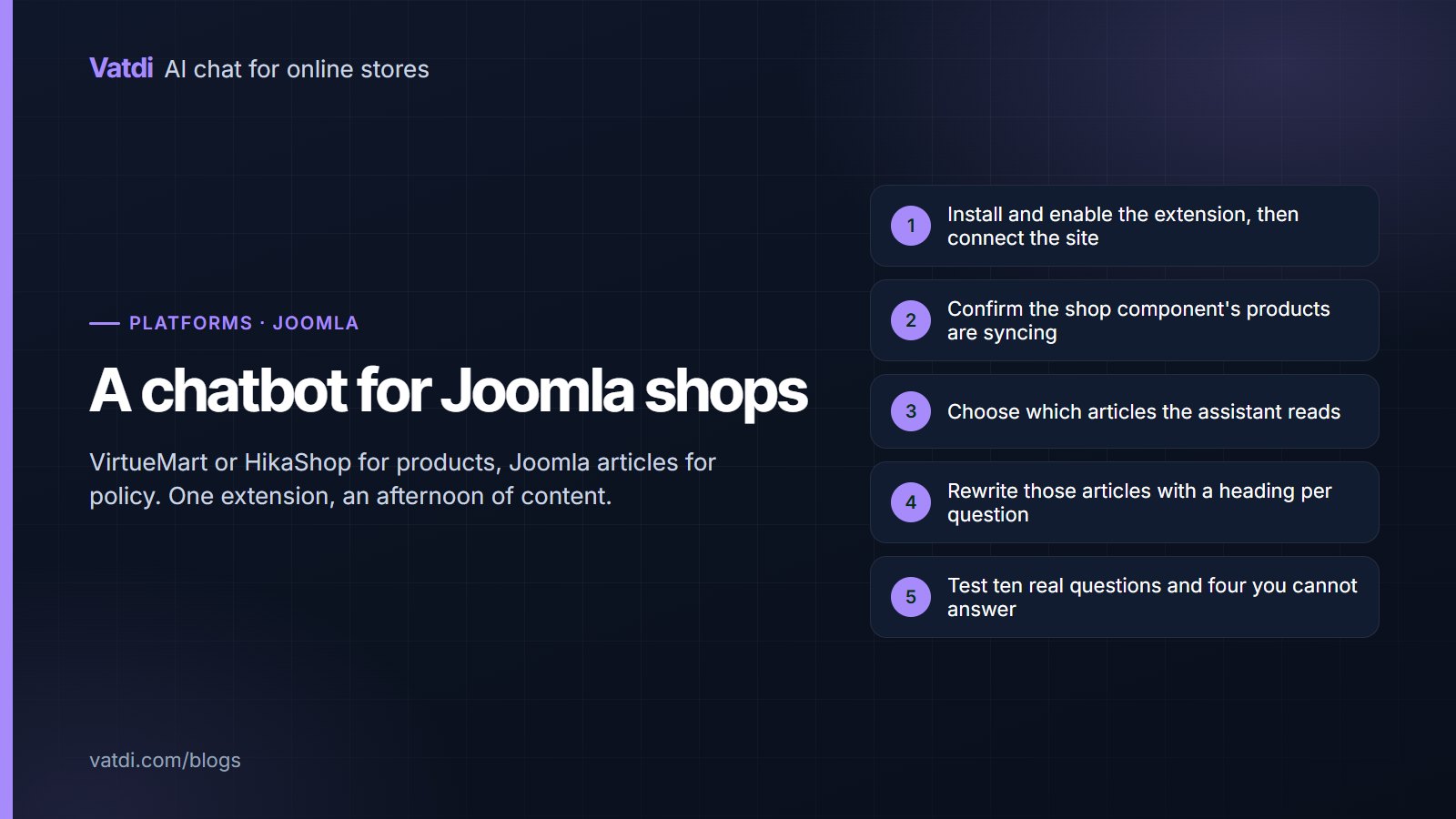
Install the extension through the Joomla extension manager, enable the plugin, and connect the site from its configuration. The catalogue begins syncing from your shop component. If the extension installs but nothing syncs, check three things in order: that the plugin is enabled rather than merely installed, that Joomla's cache has been cleared, and that no security extension is blocking outbound requests. Downloads and the current platform list are on the integrations page.
Product data in VirtueMart and HikaShop
- Fill the custom fields customers ask about, such as material, size, compatibility or capacity, on your best-selling products first.
- Check variants appear as options rather than as one undifferentiated product.
- Keep descriptions factual. Marketing copy without specifics gives the assistant nothing to quote.
- Verify prices sync including any tax display rules, so quoted prices match the storefront.
- Re-sync after bulk imports, which is when stored data most often drifts from the shop.
The principle is the same across platforms: an empty attribute is a question that cannot be answered, whatever the software. The wider argument is in what to feed a store chatbot.
Articles: where the policy answers live
Rewrite each policy article with a heading phrased as the question and the fact in the first sentence. Worked examples are in chatbot knowledge base examples, and the format in how to write a chatbot knowledge base. On Joomla it is worth confirming each article is published and not hidden behind an access level, since an article restricted to registered users is not public content. It is also worth checking that the article is linked from a menu, because unlinked articles are easy to forget and easy to leave outdated.
Order lookup
Where the extension supports it for your shop component, enable order lookup and test it with a real order number and the email on that order. Then test the failures: a number that does not exist, and a real number with the wrong email. Both should decline cleanly, since requiring the pair is what protects customer data. Check which reference appears in your confirmation emails, because that is the number customers will quote. Where lookup is not available for your component, say so in the assistant's content and route order questions to a person; the reasoning and wording are in chatbot human handover.
Testing before launch
- Ask the ten questions your customers send most, in their wording.
- Ask four you cannot answer and confirm it declines rather than guessing.
- Ask a product question that depends on a custom field you filled.
- Run the order-lookup cases if lookup is enabled.
- Ask in a second language if you sell across borders.
- Request a person and confirm the handover carries the transcript.
Score each as correct, incomplete, wrong or declined well, using the method in how to test AI chatbot accuracy. Joomla's own documentation covers extension management, and the retrieval approach behind the answers is described in Lewis et al., 2020.
Where the widget should appear
Put the launcher on product and category views and on the policy articles people open looking for answers, and keep it closed by default. Joomla templates vary widely, so check the mobile view with your own template active: a sticky module or an off-canvas menu button often occupies the same corner, and one will cover the other. If a cookie consent extension is running, confirm the launcher is still reachable while the notice is displayed. Five minutes of checking prevents the most common reason a correctly configured assistant sees no traffic at all, which is that nobody could see it on a phone.
What the first fortnight looks like
Expect a quiet first week and a useful second. The assistant needs to be noticed before it is used, and the earliest questions on a Joomla shop are almost always delivery and order status. By the second week the unanswered-question list has enough in it to guide the work, and on Joomla sites it reliably names the same gaps: a shipping detail that lives in a module rather than an article, a product field left empty across a whole category, and a policy that exists only in the terms. Each takes minutes to fix and each removes a recurring failure. Resist changing settings during this period, since almost every disappointing answer in a new installation is missing content rather than wrong configuration.
Joomla-specific traps
Three recur often enough to plan for. Caching: Joomla's page and system caches can serve an old article to visitors while the admin shows the new one, which makes a content fix look ineffective; clear the cache after editing. Access levels: an article set to a registered-user access level is not public, so the assistant should not be reading it and customers cannot either. And template overrides: some templates render key text in ways that are awkward to read as content, so open the page as a visitor and confirm your shipping cost and cut-off appear as ordinary sentences rather than only inside a styled module.
What it costs
The extension is free; the plan decides the rest. As of September 2026 Vatdi is free for 15 conversations a month with every feature included, $4.49 for 150 and $7.49 for unlimited, with product and knowledge allowances per tier and badge removal the only paid extra; see pricing. Budget an afternoon, most of it on custom fields and policy articles. The wider setup order is in the AI chatbot implementation guide.
Frequently asked questions
Does a chatbot work with VirtueMart?
Yes, through the Joomla extension, which reads product data from the shop component and policy answers from your articles. Answer quality depends on whether the custom fields customers ask about are filled, since the assistant can only report what your product records actually contain.
What about HikaShop?
The same approach applies: the extension connects the site and the shop component supplies the catalogue. Check that variants appear as options rather than as a single product, and that prices sync with your tax display settings so quoted figures match what a shopper sees at checkout.
Can it answer from Joomla articles?
Yes, and that is where policy answers come from. Make sure each article is published and publicly accessible rather than restricted to a registered-user access level, and write it with a heading per question so the assistant can quote the specific fact rather than a paragraph.
Why does a content change not take effect?
Usually Joomla caching. The admin shows your new text while visitors and the assistant still see the cached version. Clear the system and page caches after editing, then re-ask the question. This is the most common false alarm on Joomla sites.
Is order lookup available?
Where the extension supports it for your shop component. Enable it, then test with a real order number plus the email on the order, and deliberately test a mismatch to confirm it declines. If lookup is not available, route order questions to a person rather than leaving customers in a loop.
How long does it take to set up?
Installation and sync are minutes. The real work is custom fields on your best sellers and rewriting five policy articles, which takes an afternoon and improves the site regardless. Testing is another half hour, and a weekly look at unanswered questions keeps it current.