1. Home
  2. /
  3. Blog
  4. /
  5. Akshay Maniya

Akshay Maniya

Platforms and integrations · Vatdi team

Akshay covers the platform side: WooCommerce and WordPress, OpenCart, PrestaShop, Magento, Shopware, Joomla, Drupal, Shopify and plain websites. Each install guide is walked through on a staging store first, checks what the plugin can and cannot sync, and includes the troubleshooting steps for that platform.

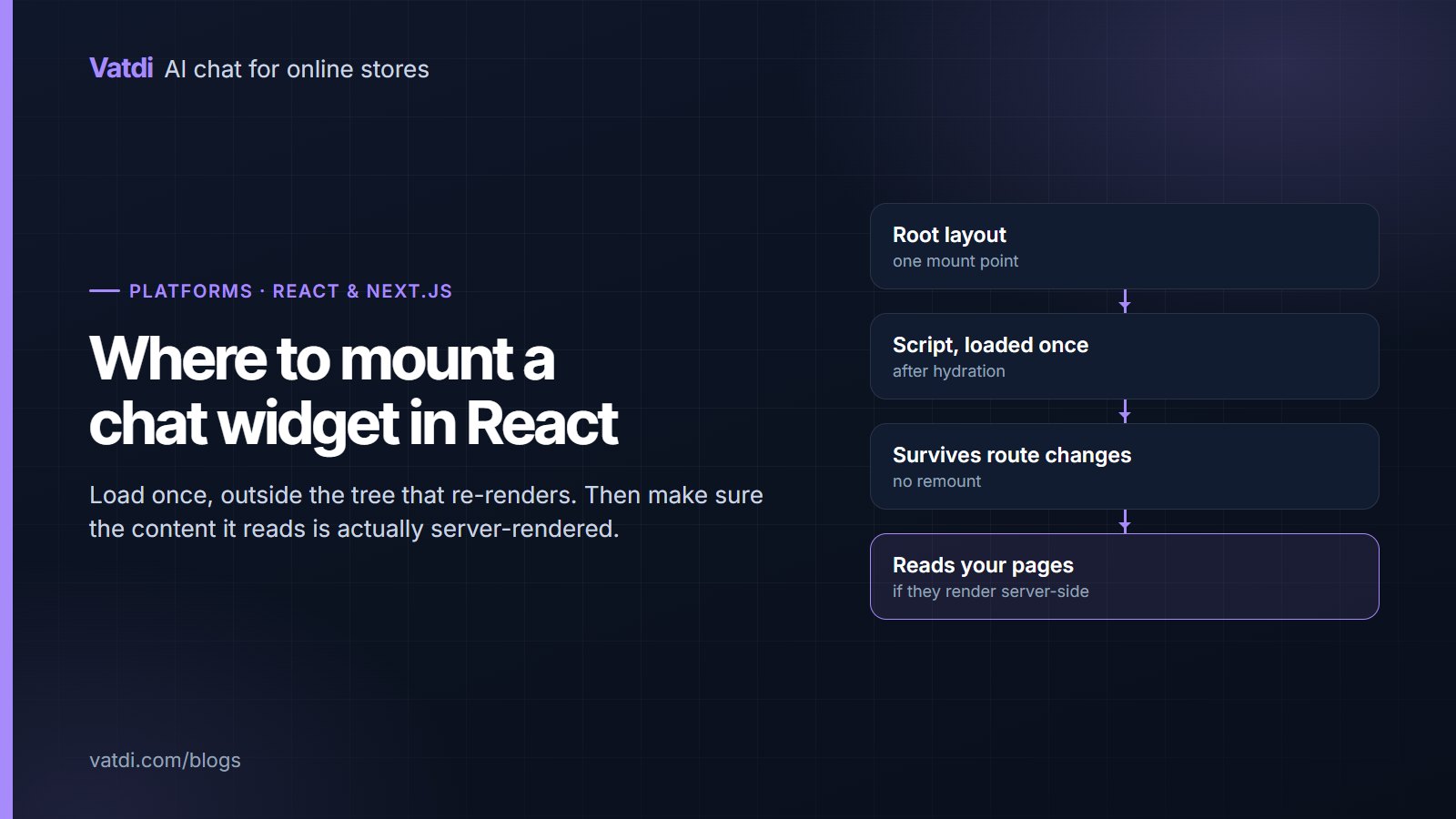
Diagram showing where to mount a chat widget script in a React or Next.js application
Platforms & integrations
32 views

Adding a chatbot for React or Next.js sites is a mounting question, not an integration project: one script, loaded once, outside the component tree it should not re-render with. This guide covers where to put it in the app router and the pages router, the hydration and route-change pitfalls, and why client-side rendering changes what content the assistant can read.
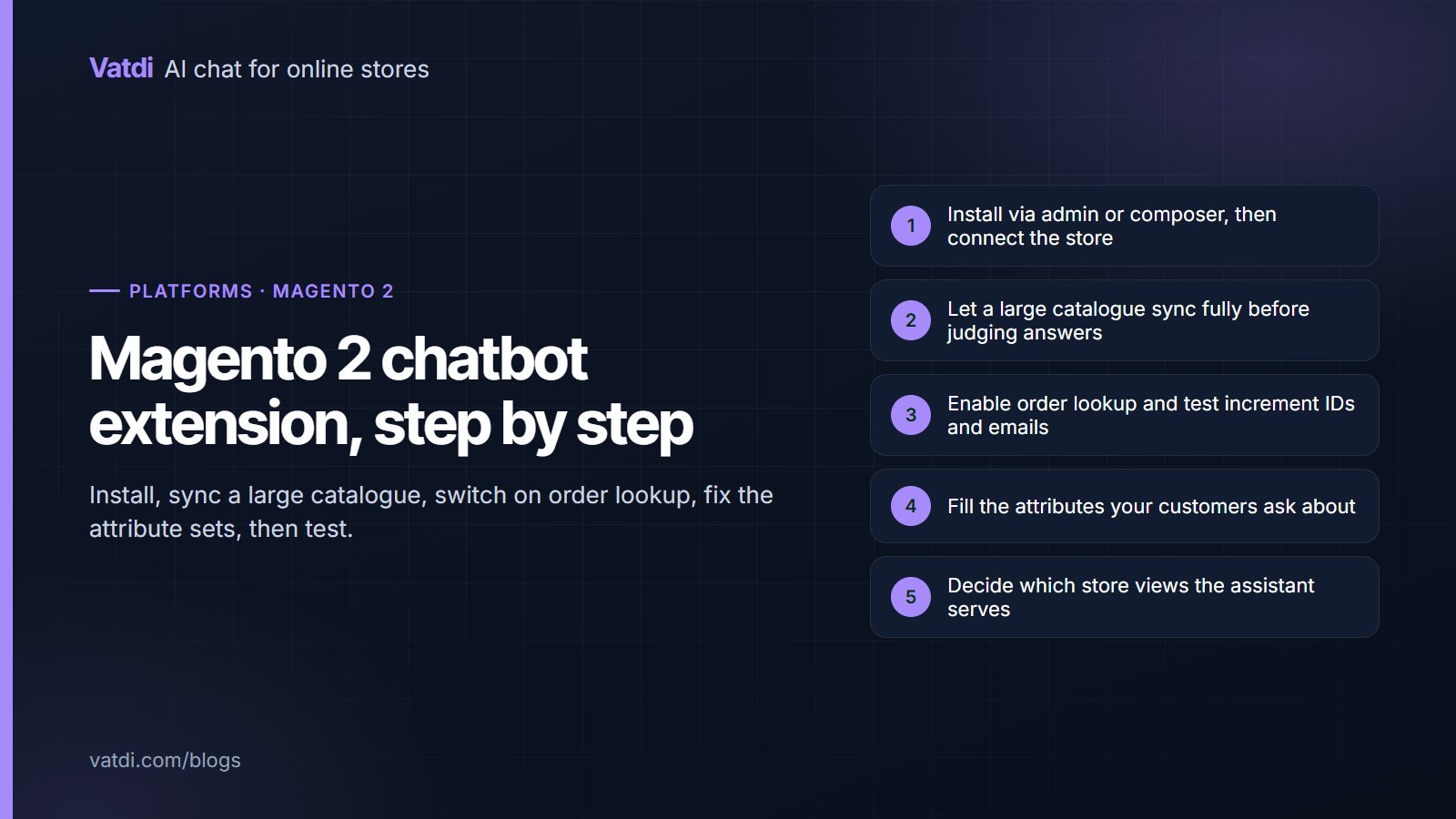
Five setup steps for a Magento 2 chatbot extension from install to tested answers
Platforms & integrations
40 views

A Magento 2 chatbot extension installs through the admin or composer and connects without hand-copied keys, but Magento stores bring two specifics: large catalogues that take longer to sync, and attribute sets that decide whether product answers are any good. This guide covers installation, the sync checks, order lookup, the content work and the store-view questions multi-site merchants need to settle first.

Three tiles comparing free WordPress chatbot tiers: Vatdi with AI included, Tidio without AI, Tawk.to live chat
Platforms & integrations
204 views

"Free chatbot for WordPress" means three different things: free live chat with no AI, a free rule-based builder, or a free plan on an AI assistant with a conversation cap. This guide compares the tiers as of September 2026 on what they include, cap and leave out, shows when free is enough for a WordPress site and when $4.49 is the honest next step, and gives a test to run.

Eight-point checklist for testing an AI chatbot plugin on a WordPress site, next to the WordPress logo
Platforms & integrations
227 views

The best AI chatbot for WordPress is the one that passes a short test on your own site: it syncs your published posts, pages and products, answers from them, looks up WooCommerce orders, survives your caching and security plugins, and bills on a unit you can forecast. This guide gives the eight-point test, the candidates with published prices as of September 2026, and the pitfalls specific to WordPress.

Five setup steps for an AI chatbot on WooCommerce, from installing the plugin to testing a real order number
Platforms & integrations
224 views

An AI chatbot for WooCommerce should read your products, pages and policies, look up orders live and hand over when needed, and it should install in minutes without keys. This guide covers the plugin install and one-click connect, what syncs (products, categories, reviews, pages), how order lookup verifies a shopper, the ten-question test, month-one expectations and the usual fixes.

Ready to Add AI Chatbot to Your Store?

Join thousands of ecommerce stores using Vatdi for 24/7 customer support, lead capture, and sales automation.

Free plan available No credit card required 5-minute setup