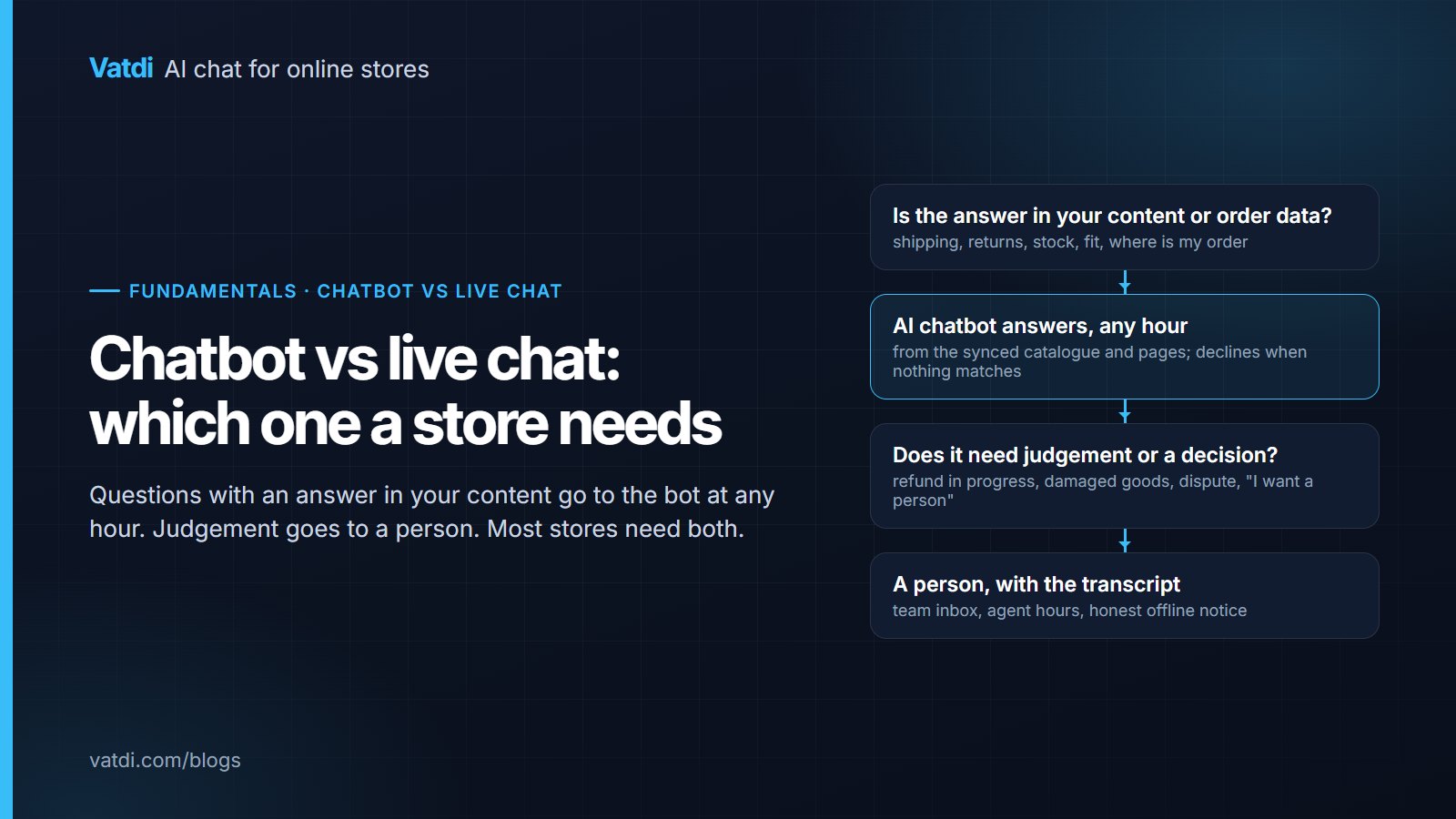
Chatbot vs live chat is a false choice for most stores. Questions with an answer in your content or order data, which are most of them, belong to a retrieval-based chatbot that works at any hour; questions needing judgement belong to a person. The real decisions are what the split should be, how the handover works, and what each side costs. This guide compares the two on those points and shows how to run both without a bigger team.
What each one is
Live chat is a widget that routes a visitor's message to a person, in real time when someone is online and to a queue or email when nobody is. Its quality is the agent's quality. Its coverage is the agent's hours. An AI chatbot, in the sense that matters for a store, is a retrieval-based assistant. It searches your synced products, pages and documents for the passages that match the question, writes an answer from them, and says it does not know when nothing matches (the approach is described in Lewis et al., 2020). Older rule-based bots that walk visitors through menus are a third thing, covered in AI chatbot vs rule-based chatbot; this guide compares live chat with the retrieval kind.
Side by side
| Dimension | Live chat | AI chatbot (retrieval-based) | What it means for a store |
|---|---|---|---|
| Availability | Agent hours; a queue or email otherwise | Every hour, within your content | In our own data, 39.6% of store conversations start outside 09:00–18:00 UTC (see our conversation statistics) |
| First response | When the agent sees it | Seconds | Pre-purchase doubt is resolved before the shopper leaves |
| Answer quality | Varies by person and day | Consistent; tracks the quality of your pages | Fix a page once and every future answer improves |
| Exceptions and judgement | Its strength | Declines and hands over | Refunds, disputes and complaints still need a person |
| Order status | Agent checks the admin | Live lookup with order number + email or phone | The most common question stops reaching the inbox |
| Languages | The agent's languages | Detected per message; labels translated | Matters as soon as you ship abroad |
| Cost unit | Usually per agent seat | Flat per store, per conversation or per resolution, depending on the vendor | The unit decides the bill more than the headline price |
| Setup | Minutes, then staffing | Minutes, then an afternoon of content | The bot's work is in your shipping, returns and product pages |
What live chat is best at
- Anything needing a decision: a refund outside policy, a damaged item, a customer who is upset.
- Anything needing access the bot does not have: editing an order, applying a manual discount, checking a supplier.
- High-value, bespoke sales: custom orders and B2B quotes, where the conversation is the negotiation.
- The moment a shopper asks for a person. Nothing damages trust faster than a bot that tries once more.
What an AI chatbot is best at
- The repeat questions: shipping time and cost, returns rules, payment methods, stock of a variant, whether something fits or is compatible. All have an answer in your content.
- Order status, when the store is connected: order number plus the email or phone on the order, verified, answered live (Vatdi does this through its plugins for WooCommerce, OpenCart, PrestaShop, Magento, Shopware, Joomla and Drupal Commerce, and not on Shopify).
- Off-hours and other languages, where a person is simply not available.
- Collecting the details for the person who will follow up, so the handover starts with context.
Running both: the hybrid in practice
Four rules make the hybrid work, and all four are settings or content rather than staff:
- Always escalate refunds already in progress, damaged goods, payment disputes, and any explicit request for a person, without a second bot attempt.
- Escalate on uncertainty: when the answer is not in your content the bot says so and offers a person rather than guessing.
- Be honest about hours: outside agent hours the widget says when someone will reply and collects contact details.
- Review missed handovers weekly: each one is a customer who asked for you and did not get you.
Vatdi's team inbox handles the second arrow with states (Needs you / Handling / Team handling / Missed / Resolved), agent hours, email and browser alerts and unlimited teammates; the mechanics are in what chatbot human handover is and the team inbox. The setup with live chat as the fallback is described step by step in how to set up live chat with an AI fallback.
What each costs
Live chat is usually priced per agent seat. AI chatbots are priced flat per store, per conversation or per AI resolution depending on the vendor. The unit matters more than the number. As of September 2026: LiveChat starts at $20 per agent a month on annual billing, with its chatbot a separate product from $52 a month (LiveChat pricing); Tawk.to offers free live chat with unlimited agents, with AI answers and branding removal as paid add-ons; Intercom is $29 per seat a month plus Fin at $0.99 per resolution; Vatdi is flat per store with unlimited teammates, Free with 15 conversations a month, Starter $4.49 for 150, Grow $7.49 unlimited, and the team inbox is included on every plan (pricing). Prices change; check each vendor's page. The cost per contact under each model, with a worksheet, is in AI vs human customer support.
Which one, by situation
- One or two people, an inbox full of the same fifteen questions: AI first with a person behind it. This is most small stores.
- Bespoke or high-value sales, few repeat questions: live chat first; add a bot only for hours you cannot cover.
- Selling in several languages or time zones: AI first is close to mandatory; a person cannot cover the spread.
- A support team already on a helpdesk: add the AI inside the helpdesk rather than a second widget.
- Nobody available to answer at all: AI with honest offline capture beats a live-chat widget that says "we typically reply in minutes" at midnight.
Measuring it after the switch
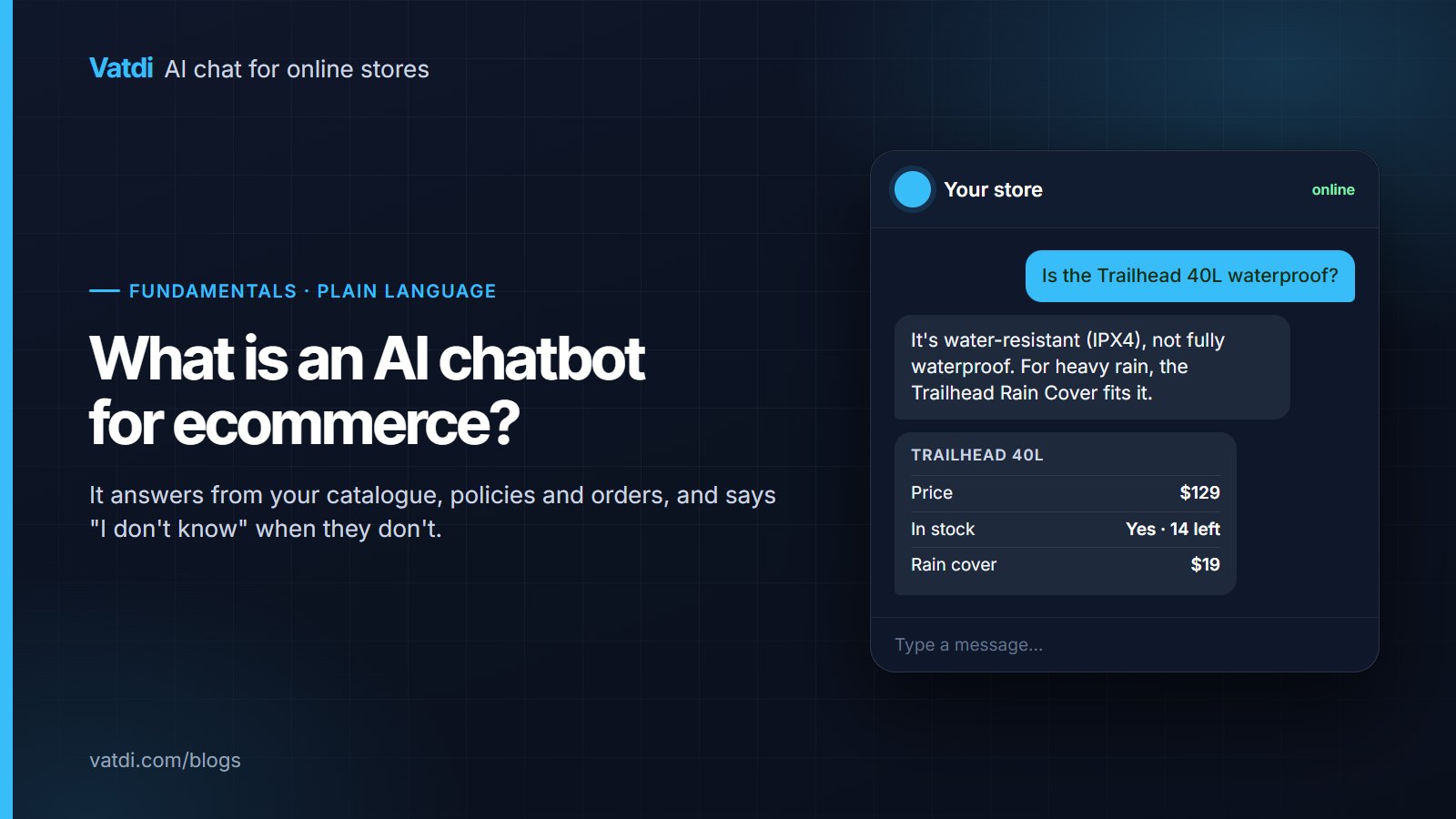
Four numbers, weekly. The share of conversations answered without a person. Missed handovers within agent hours. The visitor rating. Support emails on the six repeat topics compared with the month before. If the first rises while the rating falls, the bot is stonewalling; if missed handovers climb, the hours are wrong. Vatdi grades every conversation 0–10 with plain-English advice and shows these numbers on every plan; the wider set is in AI chatbot KPIs to track. For the basics of what the bot reads and does, start with what an AI chatbot for ecommerce is; the short comparison page is chatbot vs live chat: which is better.
Frequently asked questions
Is live chat better than a chatbot for customer service?
Better at judgement, worse at coverage. A person handles refunds, disputes and upset customers in a way no bot should attempt; a retrieval-based bot handles shipping, returns, stock and order-status questions at any hour, in any language, with consistent answers. For a store, the useful question is not which is better but which contacts each should take, and the answer is usually both with a clear handover rule.
Can a chatbot fully replace live chat on a small store?
It can replace the repetitive part, which on most stores is the majority of contacts, and it can cover the hours nobody is at the desk. It should not replace the person for refunds in progress, damaged goods, payment disputes or anyone who asks for a human. A bot with no path to a person will eventually cost you a customer that a two-minute human reply would have kept.
What is the difference between a chatbot and live chat, in one sentence?
Live chat routes a message to a person; a chatbot answers it. The retrieval-based kind answers from your own products, pages and order data and declines when it cannot, while rule-based bots walk visitors through fixed menus. Most modern store setups run the AI first and hand the rest to live chat, with the transcript travelling between them.
How does the handover from bot to person work?
The bot recognises a trigger (a request for a person, a refund or dispute topic, or a question it cannot answer), tells the visitor what happens next, and moves the conversation into a team inbox with the full transcript. Inside agent hours a teammate gets an alert and replies in the same thread; outside them the widget states when someone will reply and collects contact details. Missed handovers are counted so you can fix the hours.
Is a chatbot cheaper than live chat?
Per contact, for questions with a written answer, yes: a flat-priced assistant handles unlimited conversations for a fixed fee, while a human contact costs minutes of paid time and live-chat tools typically add a per-agent seat. Whether the total is cheaper depends on the pricing unit and the share of contacts the bot can genuinely take; the worked example in our AI vs human cost comparison shows how to run the numbers.
Do customers dislike talking to a chatbot?
They dislike bots that guess, loop or hide the exit. A bot that answers the shipping question correctly in seconds, shows the product card, and offers a person the moment it is asked is not the experience people complain about. Keep the welcome message honest about what the assistant can do, make "talk to a person" a quick reply, and watch the visitor rating weekly rather than assuming either way.